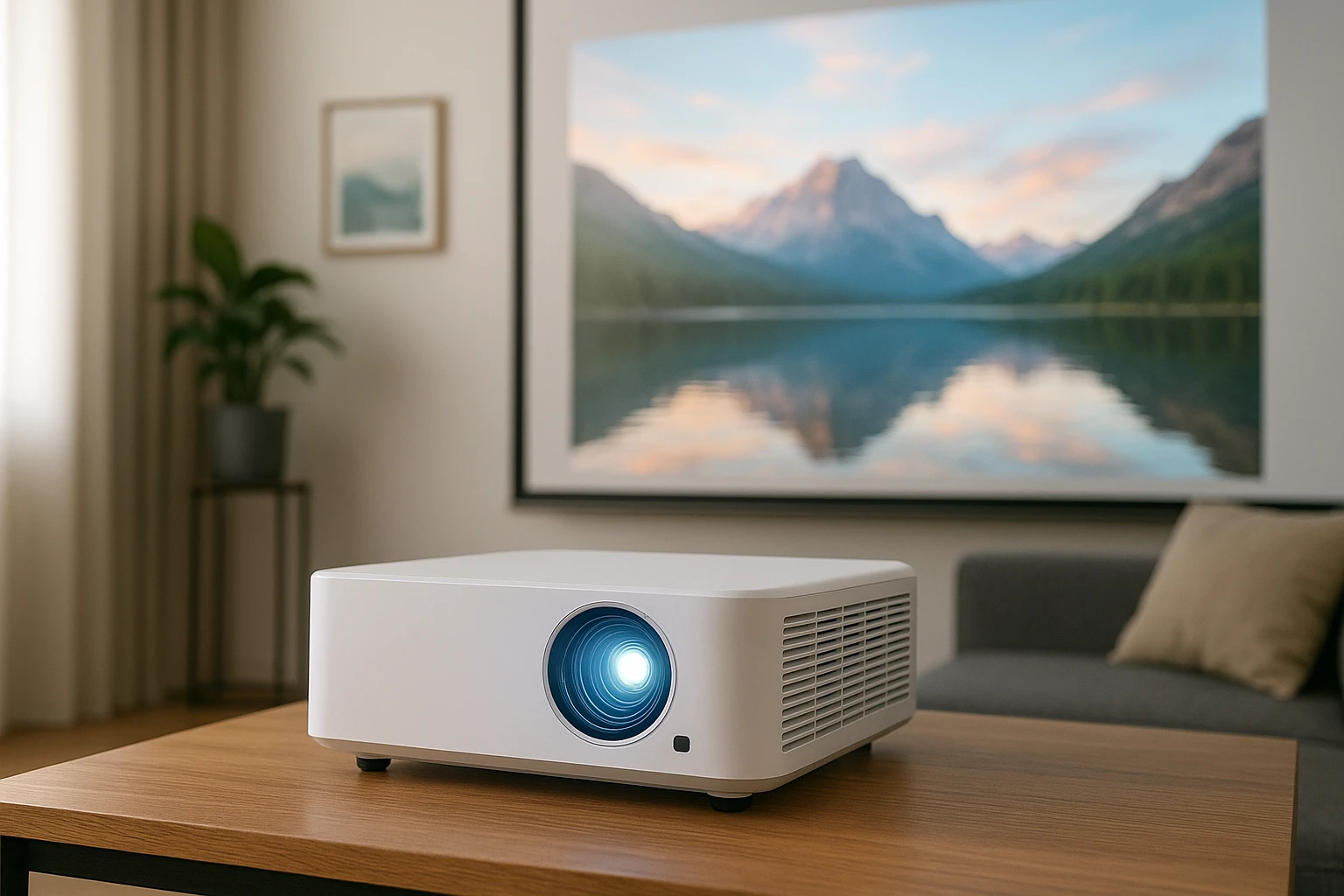
Compact Projectors for Apartments: The Ultimate Buying & Setup Guide for Small Spaces
Introduction
Living in an apartment often limits the ability to install a large television or dedicated home theater. Compact projectors provide a flexible alternative that can transform a modest living area into a cinematic space without permanent modifications. This guide explains the essential concepts, evaluates the most suitable devices for limited square footage, and offers practical setup instructions. Readers will learn how to assess projector specifications, compare top models, and implement best‑practice installation techniques that preserve both aesthetics and functionality.
The guide also highlights five carefully selected Amazon products that excel in portability, image quality, and ease of use. Each recommendation includes price, rating, and key features drawn from verified customer feedback. By the end of the article, one will possess the knowledge to make an informed purchase and enjoy a reliable home‑cinema experience in even the smallest apartment.
Background and Context
Projector technology has progressed from bulky, low‑resolution devices to sleek, high‑definition units capable of delivering native 1080p or even 4K‑compatible images. Modern compact projectors incorporate Wi‑Fi, Bluetooth, and built‑in streaming applications, eliminating the need for external media players. For apartment dwellers, the primary considerations are throw distance, brightness, noise level, and connectivity options that work within confined spaces.
Brightness is measured in ANSI lumens; a value of 200‑300 lumens is generally sufficient for darkened rooms, while 300‑500 lumens may be required in spaces with ambient light. Resolution determines the sharpness of the picture; native 1080p provides clear detail, whereas lower resolutions may appear pixelated on larger screens. Finally, the ability to mount the projector securely—either on a ceiling or a small table—affects both ergonomics and safety.
Understanding these fundamentals enables readers to match technical specifications with the constraints of an apartment layout, ensuring a satisfying viewing experience without compromising living‑room functionality.
Key Considerations for Apartment Projectors
When evaluating compact projectors for small spaces, focus on the following criteria:
- Throw Ratio and Screen Size: A short‑throw projector can produce a 100‑inch image from a distance of 3‑4 feet, which is ideal for limited floor space.
- Brightness (ANSI Lumens): Choose a model with at least 300 lumens if the room cannot be completely darkened.
- Resolution: Native 1080p ensures crisp text and detailed images; 4K compatibility adds future‑proofing.
- Connectivity: Built‑in Wi‑Fi and Bluetooth simplify streaming from smartphones, tablets, and smart speakers.
- Portability and Weight: Lightweight units (<2 lb) are easier to reposition for cleaning or temporary setups.
- Noise Level: Fans should operate below 30 dB to avoid distracting audio during movies.
Each of the featured products satisfies most of these criteria, but they differ in price, brightness, and built‑in content options. The following sections examine them in detail.
Product Recommendations
YGSKK Mini Projector
The YGSKK Mini Projector offers native 1080p resolution, 300 ANSI lumens, and the latest Wi‑Fi 6 and Bluetooth 5.3 connectivity. At $61.99 it delivers a cost‑effective solution for apartments that demand stable streaming and quick wireless pairing. Key features include built‑in Netflix, Prime Video, and YouTube applications, eliminating the need for external streaming sticks. The device supports screen sizes from 50 to 200 inches, allowing users to adjust the image to suit any wall or ceiling surface.
- Price: $61.99
- Rating: 4.5/5 (881 reviews)
- Brightness: 300 ANSI lumens
- Connectivity: Wi‑Fi 6, Bluetooth 5.3, HDMI, USB
- Special: Electric focusing and 210° rotation for flexible placement
NEBULA Capsule 3
The NEBULA Capsule 3 is a premium portable projector that combines Google TV with a licensed Netflix interface. Priced at $399.99, it provides 200 lumens of brightness, a 120‑inch maximum screen, and a 2.5‑hour battery for on‑the‑go entertainment. Its Intelligent Environment Adaptation Technology performs auto‑keystone correction and autofocus within three seconds, making it suitable for users who value convenience over raw lumens.
- Price: $399.99
- Rating: 4.2/5 (7,019 reviews)
- Brightness: 200 lumens
- Battery life: 2.5 hours video, 8 hours audio
- Connectivity: Wi‑Fi, HDMI, USB, built‑in speakers
VOPLLS Smart Mini Projector
The VOPLLS Smart Mini Projector stands out for its ultra‑slim 1.81‑inch form factor and native 1080p resolution with 4K playback compatibility. At $109.99 it balances portability with performance, offering automatic fast focus, 6‑D keystone correction, and a 360° rotatable stand. The projector includes pre‑installed streaming apps, reducing the need for additional hardware.
- Price: $109.99
- Rating: 4.7/5 (890 reviews)
- Brightness: Not specified (optimized for dark rooms)
- Connectivity: Wi‑Fi, Bluetooth, HDMI, USB
- Special: Tool‑free 360° adjustable bracket
NICPOW Mini Projector
The NICPOW Mini Projector targets budget‑conscious renters. For $49.99 it delivers 1080p support, 200‑inch screen potential, and wired HDMI/USB connectivity. Although it lacks wireless features, its compact dimensions (6.41 × 5.11 × 2.67 in) and lightweight design (1.1 lb) make it ideal for temporary setups, such as weekend camping trips or impromptu movie nights.
- Price: $49.99
- Rating: 4.3/5 (4,653 reviews)
- Brightness: Adequate for dark rooms
- Connectivity: HDMI, USB, AV (no Wi‑Fi)
- Special: 200‑inch maximum screen, built‑in speakers
2‑Be‑Best Ceiling Mount
The 2‑Be‑Best Ceiling Mount provides a secure, adjustable solution for mounting any of the above projectors. Priced at $28.87, it features a 14‑24 in extendable arm, 360° horizontal rotation, and 90° vertical tilt. The mount supports up to 11 lb, covering all listed projectors while freeing valuable floor space.
- Price: $28.87
- Rating: 4.5/5 (184 reviews)
- Load capacity: 11 lb (5 kg)
- Adjustability: 360° rotation, 90° tilt, extendable length
- Installation: Quick‑release design with included hardware
Comparison and Selection Guide
| Feature | YGSKK Mini Projector | NEBULA Capsule 3 | VOPLLS Smart Mini | NICPOW Mini |
|---|---|---|---|---|
| Price | $61.99 | $399.99 | $109.99 | $49.99 |
| Resolution | Native 1080p (4K compatible) | 1080p (200 lumens) | Native 1080p (4K compatible) | 1080p support (HD) |
| Brightness | 300 ANSI lumens | 200 lumens | Not specified (optimized for dark) | Adequate for dark rooms |
| Wireless | Wi‑Fi 6 & Bluetooth 5.3 | Wi‑Fi, no Bluetooth | Wi‑Fi & Bluetooth | Wired only |
| Built‑in Apps | Netflix, Prime, YouTube, Hulu | Google TV (Netflix licensed) | Netflix, Prime, YouTube pre‑installed | None |
| Portability | Lightweight, 210° rotation | Compact, battery‑powered | Ultra‑slim 1.81 in | Very compact, 1.1 lb |
| Ideal Use‑Case | Apartment living, bedroom cinema | Travel, camping, small‑room entertainment | Stylish home office or lounge | Budget‑friendly, occasional use |
For renters who prioritize cost and wireless streaming, the YGSKK Mini Projector offers the best value. Users who require a built‑in battery and a compact footprint may prefer the NEBULA Capsule 3, despite its higher price. The VOPLLS model excels in design elegance and automatic alignment, making it suitable for style‑conscious apartments. Finally, the NICPOW projector serves as an entry‑level option when budget constraints dominate the decision.
Best Practices & Tips for Apartment Set‑up
- Control Ambient Light: Use blackout curtains or blinds to improve perceived brightness. Even a 300‑lumens projector can deliver vivid colors in a dimmed environment.
- Choose the Right Screen Surface: A smooth, white wall works well for budget projectors, while a matte white screen enhances contrast for higher‑lumens models.
- Optimize Throw Distance: Measure the distance from the projector lens to the screen and refer to the manufacturer’s throw‑ratio chart. Short‑throw units can be placed closer to the wall, preserving floor space.
- Mount Securely: Install the 2‑Be‑Best Ceiling Mount to keep the device out of foot traffic and maintain a clean aesthetic.
- Manage Cables: Use zip ties or cable clips to conceal power and HDMI cables. This reduces tripping hazards and maintains a tidy appearance.
- Calibrate Color and Focus: Most modern projectors include automatic focus and keystone correction, but a manual fine‑tune can improve image uniformity.
- Maintain Ventilation: Ensure the projector has adequate airflow to prevent overheating, especially in small rooms where heat can accumulate.
Frequently Asked Questions
Can a compact projector replace a large TV in a small apartment?
Yes, a projector with at least 300 lumens and native 1080p resolution can provide comparable picture quality to a 55‑inch TV when the room is darkened. The advantage lies in the ability to project a 100‑inch image without occupying wall space.
Do I need a separate sound system?
Built‑in speakers in models such as the YGSKK and VOPLLS are adequate for casual viewing, but for immersive movie nights, a Bluetooth speaker or soundbar will deliver richer audio.
How far can I place the projector from the wall?
Throw ratio determines this distance. For example, the YGSKK’s short‑throw design can produce a 100‑inch image from roughly 4 feet, while the NEBULA Capsule 3 requires about 6‑7 feet for the same size.
Is Wi‑Fi 6 necessary for streaming?
Wi‑Fi 6 provides faster, more stable connections, especially in crowded apartment complexes. It reduces buffering when streaming high‑definition content, making it a worthwhile feature for heavy users.
Can I mount the projector on a ceiling without drilling?
The 2‑Be‑Best Ceiling Mount includes a quick‑release mechanism that can be attached to existing ceiling joists using standard screws. If drilling is not permitted, consider a freestanding stand or a tabletop placement.
What is the ideal screen size for a 10‑foot room?
In a 10‑foot (≈3 m) deep room, a 90‑inch to 110‑inch screen offers an optimal viewing angle without causing image distortion or requiring excessive throw distance.
Conclusion
Compact projectors empower apartment residents to enjoy a cinema‑like experience without permanent installations or excessive cost. By evaluating brightness, resolution, wireless capabilities, and portability, one can select a device that aligns with personal preferences and spatial constraints. The YGSKK Mini Projector delivers an affordable, feature‑rich option, while the NEBULA Capsule 3 caters to travelers who value battery life. The VOPLLS model offers sleek design and automatic alignment, and the NICPOW projector provides a budget‑friendly entry point. Pairing any of these units with the 2‑Be‑Best Ceiling Mount ensures a secure, space‑saving setup. Implement the recommended best practices, and even the smallest apartment can become a versatile entertainment hub.
Products Featured in This Guide
YGSKK Mini Projector
Price: $61.99 | Rating: 4.5/5 (881 reviews)
Featured for its native 1080p resolution, 300 ANSI lumens, Wi‑Fi 6 and Bluetooth 5.3 connectivity, and built‑in streaming apps, making it ideal for apartment living.
NEBULA Capsule 3
Price: $399.99 | Rating: 4.2/5 (7,019 reviews)
Featured for its portable battery‑powered design, Google TV integration, and auto‑keystone technology, suitable for travel and small‑room entertainment.
VOPLLS Smart Mini Projector
Price: $109.99 | Rating: 4.7/5 (890 reviews)
Featured for its ultra‑slim 1.81‑inch chassis, automatic focus, 6‑D keystone correction, and 360° adjustable bracket, offering style and convenience.
NICPOW Mini Projector
Price: $49.99 | Rating: 4.3/5 (4,653 reviews)
Featured for its budget‑friendly price, 1080p support, and large 200‑inch screen capability, providing a practical entry point for cost‑sensitive renters.
2‑Be‑Best Ceiling Mount
Price: $28.87 | Rating: 4.5/5 (184 reviews)
Featured for its universal compatibility, extendable arm, 360° rotation, and robust 11 lb load capacity, enabling secure ceiling installation for any compact projector.
Frequently Asked Questions
What projector specifications matter most for small apartments?
Prioritize short‑throw distance, low lumens (1500‑2000), high resolution (1080p or 4K), and built‑in speakers to fit limited space and lighting.
How far should a compact projector be placed to get a 100‑inch diagonal image?
Most short‑throw models need 2‑3 feet from the screen, while standard throw units require about 8‑10 feet, depending on the lens ratio.
Can a compact projector work well in a room with ambient light?
Choose a projector with at least 2000 lumens and a high contrast ratio, and use a light‑reject screen or dark curtains to improve image quality.
Which compact projectors are currently top‑rated on Amazon for apartments?
Popular choices include the Anker Nebula Capsule II, ViewSonic M1+, Epson EF‑100, BenQ GS2, and LG PF50KA, all praised for portability and image performance.
How can I mount a compact projector without drilling holes?
Use adhesive mounting pads, a freestanding tripod, or a ceiling hook that clamps to existing fixtures for a non‑permanent installation.