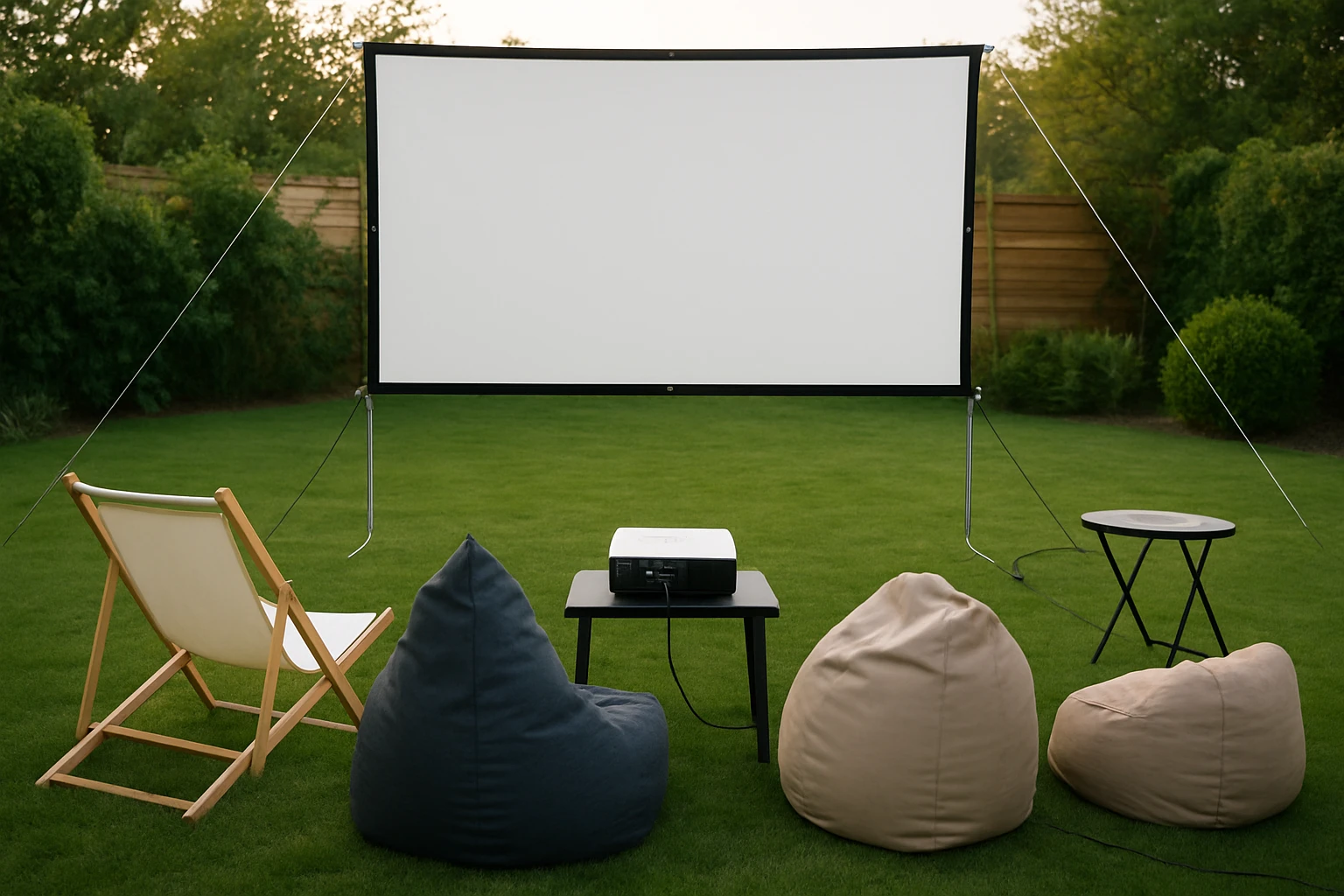
How to Build a DIY Backyard Movie Kit: Complete Checklist for Epic Outdoor Movie Nights
Introduction
Outdoor cinema has become a beloved summer tradition for families, friends, and communities. One well‑executed backyard movie night can transform a simple evening into a memorable event that rivals a commercial theater. This guide will teach the reader how to assemble a complete DIY backyard movie kit, from selecting the optimal projection screen to arranging power, audio, and comfortable seating. By following the step‑by‑step instructions, one will gain confidence to host flawless outdoor screenings, whether the occasion is a birthday party, a neighborhood block party, or a quiet weekend family gathering.
The value of a well‑planned kit lies in its reliability and repeatability. A sturdy screen, a dependable power source, and thoughtful ambiance reduce the risk of technical hiccups that can ruin the viewing experience. Moreover, the guide presents cost‑effective product recommendations that balance quality with affordability, ensuring that readers can achieve professional‑grade results without overspending.
What You'll Need
- Projection device (portable LED or laser projector)
- Screen – either an inflatable or a tripod‑mounted folding screen
- Power supply (outdoor‑rated extension cords, surge protector)
- Audio solution (portable Bluetooth speaker or powered PA)
- Seating (blankets, lawn chairs, bean bags)
- Lighting (string lights, battery‑operated lanterns)
- Accessories (tethers, stakes, zip ties, cleaning cloth)
Below, each major step incorporates the two Amazon products that have proven popular among outdoor‑cinema enthusiasts.
Step 1: Choose a Projection Device
The projector is the heart of the kit. One should select a model that offers at least 1080p resolution, 2,500–3,000 lumens of brightness, and a throw distance compatible with the chosen screen size. Portable LED projectors are lightweight and run cool, while laser projectors deliver higher brightness and longer lamp life. Ensure the device includes HDMI or USB‑C inputs for modern media sources such as streaming sticks or laptops.
Before purchasing, test the projector indoors to verify image clarity and color accuracy. If the projector supports rear projection, it can be positioned behind the screen for a clutter‑free viewing area, though most backyard setups use front projection for simplicity.
Step 2: Set Up the Screen
The screen determines image quality more than any other component. For a large‑scale backyard experience, the XHYCPY 16ft Inflatable Movie Screen offers a 16‑foot diagonal viewing area, front and rear projection capability, and a rapid‑inflation system. Its thickened polyester material reduces color wash‑out, while the 160° wide viewing angle ensures that guests seated at the edges still enjoy a clear picture.
Key features include a high‑power 110 V 180 W blower that inflates the screen in approximately two minutes, a durable 210D oxford frame that resists fading, and a removable white screen that can be machine‑washed. Priced at $98.99 with a 4.6‑star rating from over 2,000 reviews, the screen delivers excellent value for its size.
Installation steps:
- Lay out the 210D oxford frame on a flat surface and attach the tethers to the designated anchor points.
- Connect the included blower to a standard 110 V outlet and turn it on; zip the screen enclosure before inflating to prevent air loss.
- Allow the blower to fully inflate the frame (about two minutes). Once inflated, secure the frame with yard stakes to prevent wind displacement.
- Detach the white screen, stretch it over the frame, and fasten it with the Velcro strips provided. The screen can be removed for cleaning after each use.
For viewers who prefer a non‑inflatable option, the PropVue 100‑Inch Projector Screen offers a portable tripod‑mounted solution. At $158.99 and a 4.4‑star rating from 5,767 reviews, this screen measures 100 inches diagonally, folds for transport, and includes a protective carry bag. Its 1.1 gain matte surface provides a balanced contrast suitable for both daytime and evening screenings. The tripod’s wide legs add stability on uneven grass, and the height is adjustable to accommodate different projector throw distances.
Both screens are compatible with front projection; the inflatable model additionally supports rear projection, granting flexibility for unique staging arrangements.
Step 3: Power and Audio Setup
A reliable power source is essential for the projector, screen blower, and audio equipment. Use outdoor‑rated extension cords with a grounded plug and a surge protector to guard against voltage spikes. Position the surge protector on a dry surface and run the cords through a waterproof conduit if rain is forecast.
The inflatable screen’s blower must remain powered for the entire duration of the movie. Plug the blower into the same outlet as the projector if the circuit can handle the combined load (approximately 200 W for the blower plus the projector’s wattage). If the outlet is distant, employ a heavy‑gauge extension cord to avoid voltage drop.
For audio, a portable Bluetooth speaker with at least 30 W RMS output can fill a typical backyard with clear sound. Position the speaker behind the seating area to prevent direct sound from interfering with the projected image. Test audio levels before guests arrive to avoid excessive volume that could disturb neighbors.
Step 4: Seating and Atmosphere
Comfortable seating encourages guests to stay for the entire feature. Lay down waterproof outdoor blankets, arrange lawn chairs, or scatter oversized bean bags. Provide a few throw pillows for added coziness.
Ambient lighting enhances safety without compromising screen visibility. String lights hung around the perimeter create a festive glow, while battery‑operated lanterns placed along walkways guide guests to the viewing area. Keep lights at least three feet away from the screen to prevent wash‑out.
Step 5: Test and Fine‑Tune
Before the official start time, conduct a full system test. Project a test pattern or a short video clip to verify focus, keystone correction, and color balance. Adjust the projector’s zoom and lens shift until the image fills the screen without distortion.
Check audio synchronization; some Bluetooth speakers introduce a slight delay. If latency is noticeable, connect the speaker via a wired 3.5 mm jack or use a low‑latency wireless protocol.
Finally, walk around the perimeter of the screen to ensure that the blower is quietly operating and that no cords are tripping hazards. Secure any loose cables with zip ties.
Tips & Pro Tips
- Wind protection: On breezy evenings, add extra stakes or sandbags to the frame base. The inflatable screen’s 210D oxford frame is robust, but anchoring it firmly prevents wobble.
- Screen cleaning: After each use, detach the white screen and machine‑wash on a gentle cycle. Store the screen and frame separately to avoid dirt transfer.
- Projector placement: Keep the projector at least 1.5 feet above ground to avoid dust ingestion and to achieve a cleaner image.
- Backup power: A portable power station (e.g., a 500 Wh lithium battery) can keep the blower and projector running during short outages.
- Food and drink stations: Set up a separate table away from the screen to prevent spills on electronics.
Troubleshooting
| Problem | Possible Cause | Solution |
|---|---|---|
| Screen appears dim or washed‑out | Insufficient projector brightness or ambient light | Increase projector lumens, use a darker surrounding area, or add a blackout cloth behind the screen. |
| Blower makes loud noise | Blower operating at full speed throughout | Place the blower in a ventilated enclosure or use a sound‑dampening box; the XHYCPY blower is designed to be quiet after inflation. |
| Audio out of sync | Bluetooth latency | Switch to a wired connection or enable low‑latency mode on the speaker. |
| Screen deflates quickly | Leak in the frame or zipper not fully closed | Inspect the zipper, re‑zip securely, and check for punctures; repair with a vinyl patch kit if needed. |
Conclusion
By following this comprehensive checklist, one can construct a DIY backyard movie kit that delivers cinema‑quality visuals and immersive sound in the comfort of one's own yard. The guide emphasizes practical steps, safety considerations, and product recommendations that enhance reliability without mandating purchase. Whether using the expansive XHYCPY inflatable screen for large gatherings or the compact PropVue tripod screen for intimate evenings, the reader now possesses the knowledge to host unforgettable outdoor movie nights.
Products Mentioned in This Guide
Frequently Asked Questions
What essential components should be included in a DIY backyard movie kit?
A projector, a suitable screen, a power source, audio speakers, and comfortable seating are the core items.
How do I choose the right projection screen for outdoor use?
Select a screen with a matte white or gray surface, appropriate size for your space, and weather‑resistant material.
Can I power my backyard cinema with a generator instead of household electricity?
Yes, a quiet inverter generator or a portable battery pack can supply stable power for the projector and speakers.
What are budget‑friendly audio options for outdoor movie nights?
Bluetooth or wired portable speakers, or a small PA system, provide clear sound without breaking the bank.
How can I protect my equipment from weather during an outdoor screening?
Use a waterproof cover or canopy, and keep electronics on a raised, dry surface away from moisture.