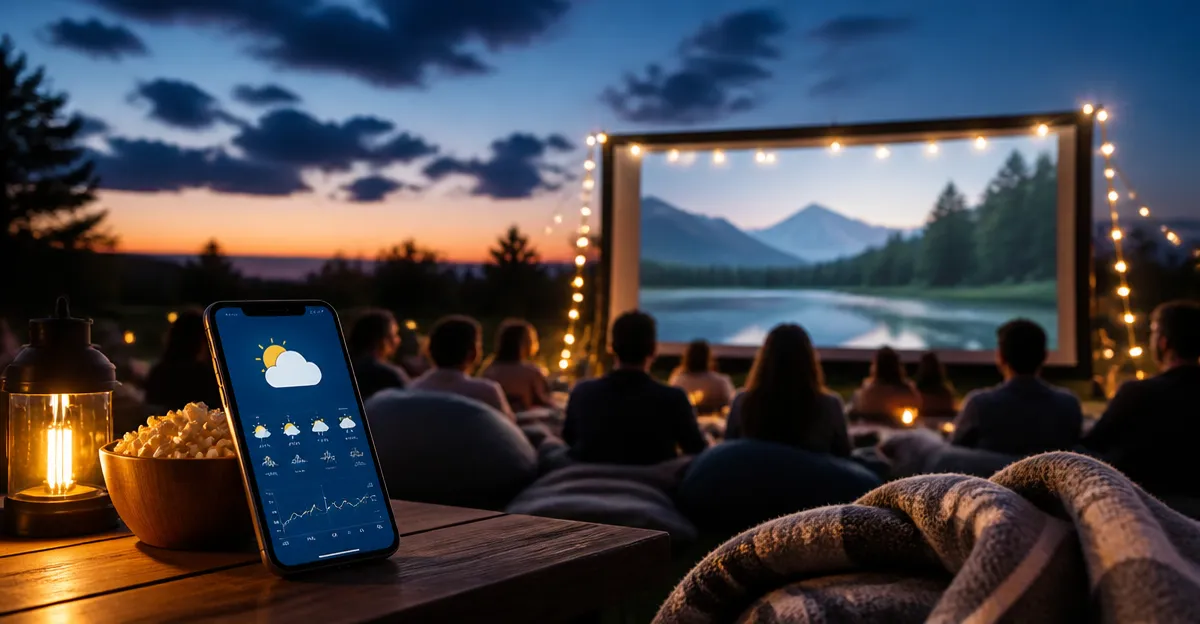
Best Weather Apps for Outdoor Movie Nights: The Ultimate Guide
Introduction
Planning an outdoor movie night requires more than a projector and popcorn; accurate weather information is essential. This guide explains how to select reliable weather apps, interpret forecasts, and avoid unexpected rain or wind. Readers will learn key concepts, compare leading apps, and receive actionable best‑practice tips. By the end, one will be equipped to choose the perfect app and host a memorable event under clear skies.
Background and Context
Outdoor screenings depend on temperature, precipitation, wind speed, and humidity. Even a light drizzle can damage equipment, while high winds may topple screens. Modern weather apps provide hyper‑local data, radar overlays, and severe‑weather alerts, allowing hosts to make informed decisions. Understanding forecast intervals, probability of precipitation (PoP), and dew point helps predict comfort levels for guests.
Choosing the Right Weather App
Several categories of weather apps exist, each emphasizing different data types. The following sections outline the most relevant categories for outdoor movie planners and recommend specific products that excel in those areas.
1. Simple Forecast Apps
These apps deliver concise temperature and precipitation summaries without overwhelming graphics. They are ideal for users who need a quick glance before setting up equipment.
- Weather App – Offers accurate temperature, hourly forecast, and a clean interface that avoids clutter. Positive reviewers praise its simplicity and low bandwidth usage, making it suitable for Kindle Fire devices.
- Local Weather Live Radar – Provides easy‑to‑understand graphics and dependable radar overlays, helping users visualize approaching storms at a glance.
2. Comprehensive Radar and Alerts
For hosts who need detailed storm tracking, radar intensity, and real‑time alerts, a robust app is essential.
- AccuWeather – Includes 14‑day forecasts, activity‑specific alerts (fishing, golfing), and customizable notification intervals to conserve battery life. Reviewers highlight its accuracy during severe weather outbreaks.
- The Weather Channel – Offers live radar, video forecasts, and a large library of weather documentaries. While some users note occasional crashes, the app remains a trusted source for hurricane‑season monitoring.
3. Media‑Focused Weather Services
These apps blend news coverage with weather data, appealing to users who appreciate editorial context alongside forecasts.
- FOX Weather – Delivers concise forecasts with a news‑style presentation. Users appreciate its alignment with FOX News reliability, though compatibility issues have been reported on certain Fire tablets.
Comparison and Selection Guide
The table below summarizes each app’s core strengths, ideal use case, and notable limitations based on customer sentiment.
| App | Key Features | Best For | Considerations |
|---|---|---|---|
| Weather App | Simple temp & forecast, low data usage, Kindle Fire optimized | Quick checks, low‑spec devices | Location pinning may default to inaccurate coordinates for some users |
| Local Weather Live Radar | Clear graphics, real‑time radar, easy navigation | Visualizing approaching rain or storms | Limited advanced customization |
| AccuWeather | 14‑day outlook, activity‑specific alerts, adjustable notification intervals | Detailed planning for multi‑day events | Occasional blank‑screen reports when zip code is used |
| The Weather Channel | Live radar, video forecasts, extensive news library | Severe‑weather monitoring, especially during hurricane season | Some users experience crashes during high wind conditions |
| FOX Weather | News‑style presentation, concise alerts | Users who prefer a media‑focused approach | Compatibility problems on certain Fire Kids tablets |
Best Practices & Tips for Outdoor Movie Nights
- Check the forecast at least 48 hours in advance. Use an app with multi‑day predictions, such as AccuWeather, to identify potential rain windows.
- Set up real‑time alerts. Enable push notifications for precipitation and wind thresholds. Both AccuWeather and The Weather Channel allow custom alert intervals.
- Monitor wind speed. Winds above 15 mph can affect screen stability and projector cooling. Simple apps like Weather App display wind data without clutter.
- Use radar overlays. Visual radar helps anticipate sudden showers. Local Weather Live Radar offers an intuitive radar map that updates every few minutes.
- Plan backup indoor options. If an app signals a high probability of precipitation, have a nearby indoor venue ready. Communicate the contingency plan to guests via a group message.
- Test your device’s battery life. Select notification intervals that balance timely updates with power consumption. AccuWeather provides 5‑, 10‑, 15‑, 30‑, and 60‑minute intervals.
Frequently Asked Questions
- 1. Which app provides the most accurate short‑term rain forecast?
- Local Weather Live Radar is praised for clear graphics and dependable short‑term precipitation data.
- 2. Can I use these apps on a Kindle Fire without a data plan?
- Yes. Weather App is noted for low bandwidth consumption, making it suitable for limited data plans.
- 3. How do I receive severe‑weather alerts on my Fire tablet?
- Enable push notifications in the app’s settings. Both AccuWeather and The Weather Channel allow you to set alert thresholds for wind, rain, and tornado warnings.
- 4. What should I do if an app crashes during a storm?
- Close the app, clear its cache, and reopen. If crashes persist, consider switching to a simpler app like Weather App for basic data while the primary app is troubleshooting.
- 5. Are there free options?
- All listed apps are free to download; some may offer in‑app purchases for premium features. Users highlighted that the free version of The Weather Channel provides sufficient functionality for most outdoor events.
- 6. Which app integrates best with other media services?
- FOX Weather aligns with FOX News content, offering a familiar news‑style interface for users who watch FOX programming.
- 7. How can I avoid inaccurate location data?
- Manually enter your zip code or use the app’s location‑pinning feature. Some reviewers noted that Weather App may default to an incorrect pin, so verify the displayed coordinates before relying on the forecast.
Conclusion
Choosing the right weather app is a critical step in guaranteeing a successful outdoor movie night. Simple forecast tools such as Weather App provide quick checks, while comprehensive platforms like AccuWeather and The Weather Channel deliver detailed radar and severe‑weather alerts. By following the best‑practice tips and leveraging the comparison guide, hosts can anticipate weather changes, protect equipment, and ensure guests remain comfortable. With accurate forecasts in hand, the only remaining task is to press play and enjoy the show under a perfect sky.
Products Featured in This Guide
Weather App
Price: Not listed | Rating: Not specified
Featured for its lightweight design, accurate temperature readings, and Kindle Fire compatibility, making it ideal for quick checks on low‑spec devices.
Local Weather Live Radar
Price: Not listed | Rating: Not specified
Featured for its clear, easy‑to‑understand radar graphics and dependable short‑term forecasts, essential for visualizing approaching rain.
The Weather Channel
Price: Not listed | Rating: Not specified
Featured for its extensive radar, video forecasts, and strong reputation during severe weather events, providing confidence during hurricane season.
AccuWeather
Price: Not listed | Rating: Not specified
Featured for its 14‑day outlook, activity‑specific alerts, and customizable notification intervals that help planners manage battery usage while staying informed.
FOX Weather
Price: Not listed | Rating: Not specified
Featured for its concise, news‑style presentation and alignment with FOX News, appealing to users who prefer a media‑focused weather experience.