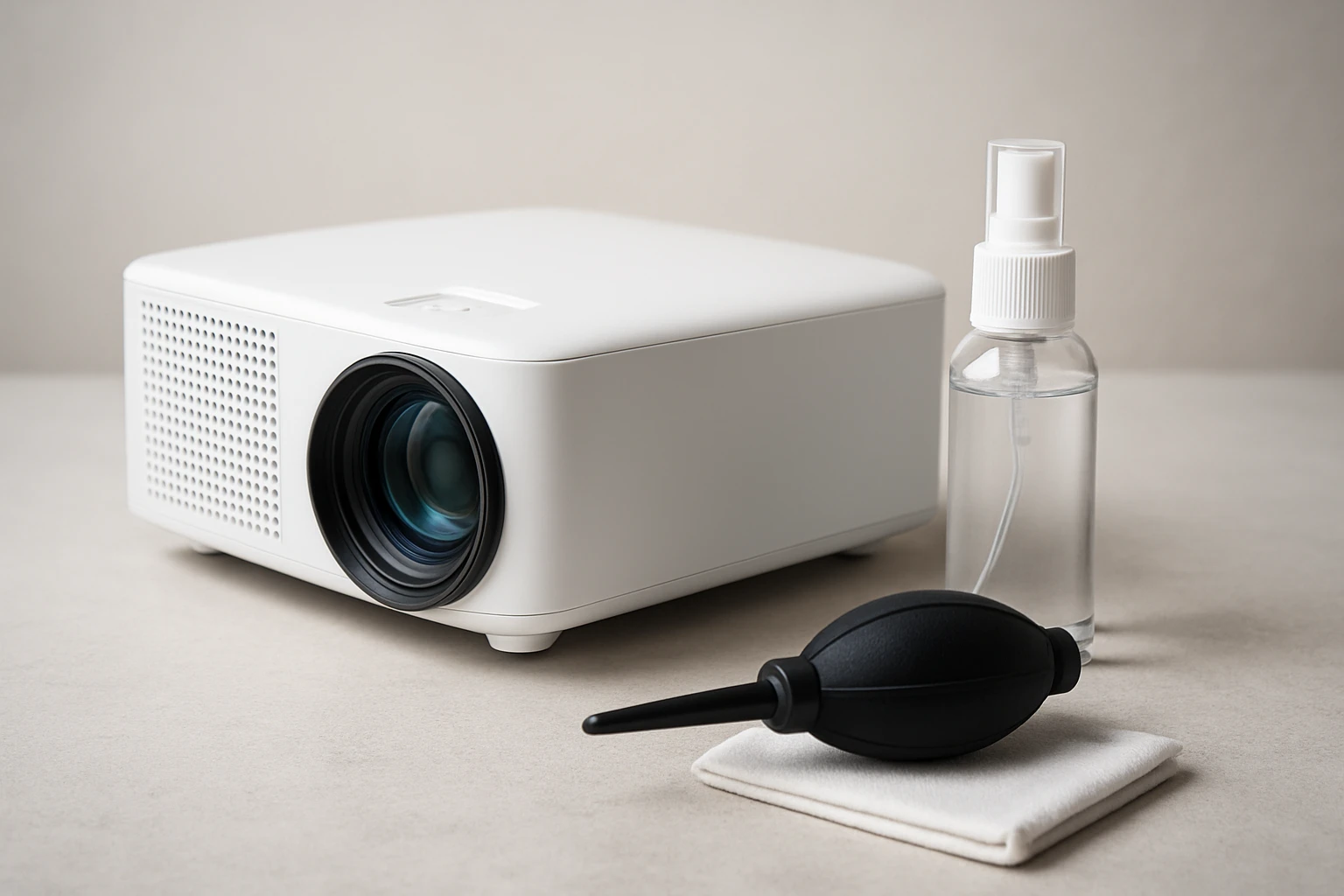
How to Clean and Care for Your Portable Projector Lens: Step‑by‑Step Guide, Safe Cleaning Tips & Maintenance Best Practices
Introduction
One often overlooks the importance of lens hygiene when using a portable projector, yet a clean lens directly influences image clarity and brightness. This guide will teach the reader how to clean and care for a projector lens safely, using proven techniques and appropriate tools. By following each step, one can avoid common pitfalls such as scratches, streaks, or residue buildup that degrade performance. The information presented is valuable for anyone who relies on a projector for presentations, home cinema, or on‑the‑go entertainment.
What You'll Need
- Micro‑fiber cleaning cloth (lint‑free)
- Compressed air canister (optional for loose dust)
- Wowflash Lens Cleaning Wipes – 200 pre‑moistened, ammonia‑free wipes
- Lens cleaning solution (if additional cleaning power is required)
- Protective lens cap or soft pouch for storage
These items are readily available and inexpensive, yet each plays a specific role in preserving the delicate optical surface. The Wowflash Lens Cleaning Wipes are especially convenient because they are individually wrapped, preventing drying out during travel. The micro‑fiber cloth provides a dry, static‑free surface for final polishing. Compressed air helps to dislodge particles before any liquid contact, reducing the risk of scratching.
Step 1: Prepare a Clean Workspace
Before any cleaning begins, one should select a flat, well‑lit surface free from vibrations and dust. Lay a soft, lint‑free mat or towel to protect the projector body and lens from accidental scratches. Turn off the projector, unplug it, and allow the lens to reach room temperature to avoid condensation when moisture is applied. This preparation ensures that the cleaning process is conducted in a controlled environment, minimizing the chance of contaminating the lens.
Step 2: Remove Loose Particles
The first active step is to eliminate loose dust and debris that could act as abrasives during wiping. Gently blow away visible particles using a short burst from a compressed air canister held at a safe distance of about six inches. If a canister is unavailable, one may use a soft brush to sweep away larger particles without applying pressure. This preliminary removal reduces the likelihood of micro‑scratches when the cleaning wipe contacts the glass.
Step 3: Inspect the Lens Surface
Using a magnifying glass or the projector's built‑in focus indicator, examine the lens for smudges, fingerprints, or oily residues. Note any stubborn spots that may require additional attention, such as oil from skin contact or dust that has settled into crevices. Documenting these areas helps to allocate cleaning effort efficiently and prevents over‑cleaning of already clear sections. A thorough inspection also serves as a baseline to evaluate the effectiveness of the cleaning process.
Step 4: Apply a Pre‑Moistened Lens Cleaning Wipe
At this stage, one should take a single Wowflash Lens Cleaning Wipes and unfold it carefully to avoid contaminating the moist surface. The wipe is formulated to be ammonia‑free, which protects the anti‑reflective coating commonly applied to projector lenses. Gently press the wipe onto the lens and move in a circular motion from the center outward, using light pressure to lift fingerprints and dust without grinding particles into the glass. The product’s scratch‑free and streak‑free claims are supported by a 4.6‑star rating from over 16,000 reviewers, indicating reliable performance for delicate optics.
After a single pass, allow the lens to air‑dry for a few seconds; the wipe evaporates quickly, leaving no residue. If a streak remains, repeat the motion with a fresh section of the same wipe, ensuring that the surface stays moist throughout the process. The individually wrapped design prevents the wipes from drying out, which is essential for maintaining cleaning efficacy during travel. This step combines convenience with professional‑grade cleaning power, making it ideal for both home and field use.
Step 5: Polish with a Dry Micro‑Fiber Cloth
Once the lens is wet‑cleaned, one should use a lint‑free micro‑fiber cloth to remove any remaining moisture and achieve a flawless finish. Fold the cloth to a clean side and gently buff the surface in a vertical then horizontal pattern, which helps to eliminate any faint streaks. The micro‑fiber material is electrostatically neutral, attracting residual particles rather than spreading them. This polishing stage enhances contrast and brightness by ensuring that the optical path is completely clear.
Step 6: Perform a Final Visual Check
After polishing, re‑examine the lens under a bright light source to confirm that no smudges, lint, or scratches remain. Project a test image onto a screen and observe uniformity of color and sharpness; any imperfections will become evident during projection. If minor haze persists, repeat Step 4 with a fresh wipe, followed by another micro‑fiber polish. A meticulous final check guarantees that the projector will deliver optimal image quality for the next use.
Step 7: Store the Lens Properly
Proper storage is as critical as cleaning because exposure to dust and scratches can occur when the projector is idle. Replace the protective cap or place the projector in a soft pouch that shields the lens from direct contact. If the device will be transported, keep a spare Wowflash Lens Cleaning Wipe in the case for emergency cleaning. Consistent storage practices extend the lifespan of the lens and reduce the frequency of deep cleaning sessions.
Tips & Pro Tips
- Never use household glass cleaners or abrasive pads; they may damage anti‑reflective coatings.
- Apply cleaning solution to the wipe, not directly onto the lens, to control the amount of moisture.
- For lenses with stubborn oily fingerprints, allow the wipe to sit for two seconds before wiping.
- Maintain a cleaning schedule: a quick wipe after each major use and a thorough cleaning monthly.
- Keep the Wowflash wipes sealed until use; exposure to air can cause them to dry out, reducing effectiveness.
Troubleshooting
Problem: Persistent streaks after cleaning.
Solution: Use a fresh Wowflash wipe and ensure the wipe remains moist throughout the motion; follow with a dry micro‑fiber polish.
Problem: Visible scratches on the lens.
Solution: Stop using the projector immediately and consult a professional repair service; further cleaning may exacerbate damage.
Problem: Wipes feel dry or brittle.
Solution: Verify the expiration date (March 19, 2027) and store the wipes in a cool, dry place; replace expired packs to maintain cleaning performance.
Conclusion
By following the systematic approach outlined above, one can maintain a portable projector lens in pristine condition, ensuring consistent image brilliance. The guide emphasizes safe handling, appropriate tools such as the Wowflash Lens Cleaning Wipes, and diligent storage to prevent future issues. Regular maintenance not only protects the investment but also enhances the viewing experience for every presentation or movie night. One is encouraged to adopt these practices as part of a routine to enjoy reliable, high‑quality projection for years to come.
Products Mentioned in This Guide
Frequently Asked Questions
How often should I clean the lens of my portable projector?
Clean the lens once a month under normal use, or whenever you notice dust, smudges, or reduced image clarity.
Can I use regular household glass cleaners on a projector lens?
No, use only lens‑specific solutions or ammonia‑free wipes to avoid damaging the optical coating.
What is the safest way to remove dust from the lens surface?
Gently blow loose dust with a compressed‑air canister, then wipe with a lint‑free micro‑fiber cloth in a circular motion.
Do I need a protective cap when storing my portable projector?
Yes, always replace the lens cap or store the projector in a soft pouch to prevent scratches and dust buildup.
Are pre‑moistened lens cleaning wipes better than liquid solutions?
Pre‑moistened wipes are convenient and evenly saturated, reducing the risk of excess liquid while still providing effective cleaning.