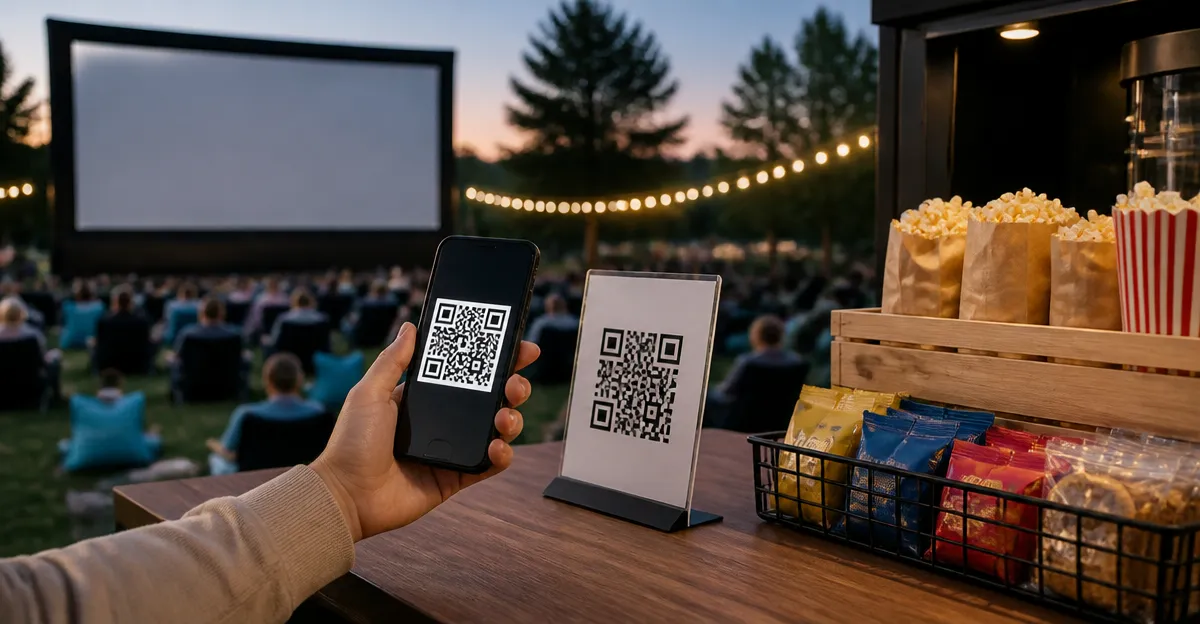
How to Set Up Contactless Concessions with QR‑Code Ordering for Outdoor Movie Nights: A Step‑by‑Step Guide
Introduction
Outdoor movie nights attract families, friends, and community members who seek convenient snack options without long queues. This guide explains how to implement a fully contactless concession system that leverages QR‑code menus, durable signage, and real‑time analytics. Readers will learn to design a layout, generate digital menus, mount professional displays, and integrate secure payment processing. By following these steps, event organizers can enhance guest satisfaction while reducing physical contact and operational overhead.
The approach combines low‑cost hardware with cloud‑based ordering platforms, making it suitable for small festivals, school events, and municipal gatherings. The recommended products have been selected for durability, ease of use, and positive customer feedback. Although the guide references specific tools, the principles can be applied with alternative solutions if desired.
What You’ll Need
- QR‑code generator (free online tool or mobile app).
- Smartphone or tablet for scanning and managing orders.
- Portable Wi‑Fi hotspot or reliable internet connection.
- Payment processor compatible with QR‑code links (e.g., Stripe, Square).
- Display accessories listed below.
Step 1: Plan the Concession Layout and Power Sources
Begin by sketching a floor plan that positions concession tables, beverage coolers, and trash stations for optimal flow. Allocate space for QR‑code signage at each point of sale, ensuring that guests can view the menu from a short distance. Install a portable power strip with surge protection near each table to support tablets, receipt printers, and lighting. Verify that the Wi‑Fi hotspot covers the entire venue, testing signal strength at each signage location.
Proper planning minimizes bottlenecks and prevents guests from crowding around a single kiosk. It also allows organizers to place larger signage, such as the Kevenal 6x8 QR Code Sign 2‑Pack, in high‑visibility zones like the entrance. This product offers a 6 × 8 inch acrylic display with a metal stand, premium clarity, and a stable base, priced at $13.99 with a 4.6‑star rating from 180 reviews. The larger format is ideal for showcasing combo deals or promotional items that require extra visual space.
By securing power and internet early, staff can focus on serving guests rather than troubleshooting connectivity issues during the event.
Step 2: Create Digital Menus and Generate QR Codes
Use a QR‑code generator to encode the URL of a hosted menu page that lists all concession items, prices, and optional add‑ons. Choose a simple, mobile‑responsive web page or a dedicated ordering platform that accepts payments directly. Ensure that the page includes clear images of popcorn, candy, and beverages to aid quick decision‑making.
After the menu URL is finalized, generate individual QR codes for each product category if you prefer separate scans for popcorn, drinks, and desserts. Label each code with a concise description (e.g., "Popcorn Combo") and test it on multiple devices to confirm compatibility with both Android and iPhone cameras. For added flexibility, consider using the ScanAndBuyWall QR Menu Tap Card. This dual‑technology sticker combines NFC and QR‑code functionality, allowing guests to tap or scan without installing an app. It costs $14.99, carries a 4.5‑star rating from 404 reviews, and is weather‑resistant, making it suitable for outdoor use.
Embedding the QR codes on durable stickers reduces the risk of damage from wind or rain, and the reprogrammable feature lets organizers update the menu URL for special events without purchasing new stickers.
Step 3: Print and Mount QR‑Code Signs
Print the QR codes on high‑resolution matte paper to avoid glare under evening lighting. Trim each print to the exact size of the chosen display holder. For standard 4 × 6 inch menus, the Kevenal 4x6 QR Code Sign 2‑Pack provides two clear acrylic stands with metal bases, priced at $9.99 and rated 4.6 stars by 180 reviewers. Its slanted back support keeps the sign angled toward guests while the extended stable base prevents tipping on uneven surfaces.
If a single sign is sufficient, the Kevenal 4x6 QR Code Sign offers the same features for $6.99, also with a 4.6‑star rating. Choose the 2‑Pack when multiple tables require identical signage, reducing per‑unit cost and ensuring visual consistency across the venue.
Secure each printed QR code into the acrylic holder by sliding it into the metal slot, then place the stand on a flat table or attach it to a portable easel. The clear acrylic enhances readability, while the metal stand provides durability against accidental bumps.
Step 4: Install Contactless Menu Stickers at Guest Touchpoints
Apply the ScanAndBuyWall QR Menu Tap Card to high‑traffic surfaces such as table edges, beverage dispensers, and the entrance gate. The 4 × 6 inch sticker is double‑sided, allowing visibility from both sides of a table. Its PVC construction is waterproof and UV‑resistant, ensuring longevity even if the event extends into a rainy evening.
Before placement, clean the surface with an alcohol wipe to guarantee strong adhesion. Press the sticker firmly for 30 seconds, then smooth out any air bubbles with a soft cloth. The NFC chip embedded within the sticker enables guests to tap their phones for instant menu access, while the QR code offers a fallback for devices without NFC support.
Because the sticker is fully reprogrammable, organizers can update the linked URL to reflect seasonal specials or sponsorship messages without repurchasing. This flexibility reduces long‑term costs and aligns the concession experience with promotional goals.
Step 5: Integrate Payment Processing and Train Staff
Select a payment gateway that supports QR‑code checkout links, such as Stripe Checkout or Square Online Payments. Configure each menu item with its price, tax rate, and optional tip selection, then generate a unique payment link that can be embedded in the digital menu page. Test the workflow by scanning the QR code with a staff device, completing a purchase, and confirming receipt of the transaction.
Equip each concession station with a tablet or smartphone that displays incoming orders in real time. Use the Jeletonp 4x6 Acrylic QR Sign 2‑Pack as a backup display for staff to monitor order status; this product costs $8.99, has a 4.3‑star rating, and includes a metal stand for stable viewing. Its screw‑back closure protects the screen from dust and accidental spills.
Conduct a brief training session with volunteers, emphasizing how to acknowledge orders, package items quickly, and handle cashless refunds. Emphasize hygiene by encouraging staff to use gloves and sanitize surfaces between transactions, reinforcing the contactless ethos of the event.
Tips & Pro Tips
- Place a small LED spotlight behind each acrylic sign to improve readability after sunset.
- Use color‑coded QR codes for different product categories to speed up guest selection.
- Schedule a brief “dry run” 30 minutes before the event to verify Wi‑Fi coverage and payment link functionality.
- Provide a printed fallback menu at the entrance for guests whose devices cannot scan QR codes.
- Collect analytics from the ScanAndBuyWall dashboard to identify peak ordering times and adjust staffing accordingly.
Troubleshooting
Issue: QR code does not scan on certain devices.
Solution: Ensure the printed code has sufficient contrast and is free of glare; replace with a higher‑resolution print if necessary.
Issue: NFC tap fails on older smartphones.
Solution: Encourage users to scan the QR code side of the sticker, which works on all smartphones with a camera.
Issue: Payment link times out during high traffic.
Solution: Upgrade to a higher‑tier plan with your payment processor or enable caching to reduce server load.
Conclusion
By following this systematic approach, organizers can deliver a smooth, contactless concession experience that enhances guest satisfaction and operational efficiency. The combination of durable acrylic holders, dual‑technology stickers, and reliable payment integration creates a resilient ecosystem for outdoor movie nights. Implementing these steps will reduce wait times, improve hygiene, and provide valuable data for future events.
One is encouraged to evaluate the recommended products during the planning phase, but the core methodology remains effective with alternative tools. With careful preparation and real‑time monitoring, contactless QR‑code ordering becomes a reliable asset for any community entertainment initiative.
Products Mentioned in This Guide
Frequently Asked Questions
What equipment is required to set up a contactless concession stand for an outdoor movie night?
You need a QR‑code generator, a smartphone or tablet for ordering, a durable display or signage, a reliable Wi‑Fi hotspot, and a secure payment processor.
How do I create and display QR‑code menus for guests?
Generate QR codes linking to your digital menu using a free online tool, then print them on weather‑proof signs and place them at each concession point.
Can I use any payment platform with QR‑code ordering?
Yes, any PCI‑compliant platform that supports mobile payments can be integrated; popular options include Stripe, Square, or PayPal.
What are the benefits of real‑time analytics in a contactless concession system?
Real‑time analytics let you track sales, inventory, and peak ordering times, enabling quick restocking and data‑driven pricing decisions.
How can I ensure the QR‑code ordering system stays functional in outdoor conditions?
Use waterproof signage, protect tablets with rugged cases, and provide a stable internet connection via a mobile hotspot or backup LTE router.