How to Create a Winning Pop‑Up Outdoor Cinema Business Plan: Step‑by‑Step Guide with Budget, Marketing & Profit Strategies
Introduction
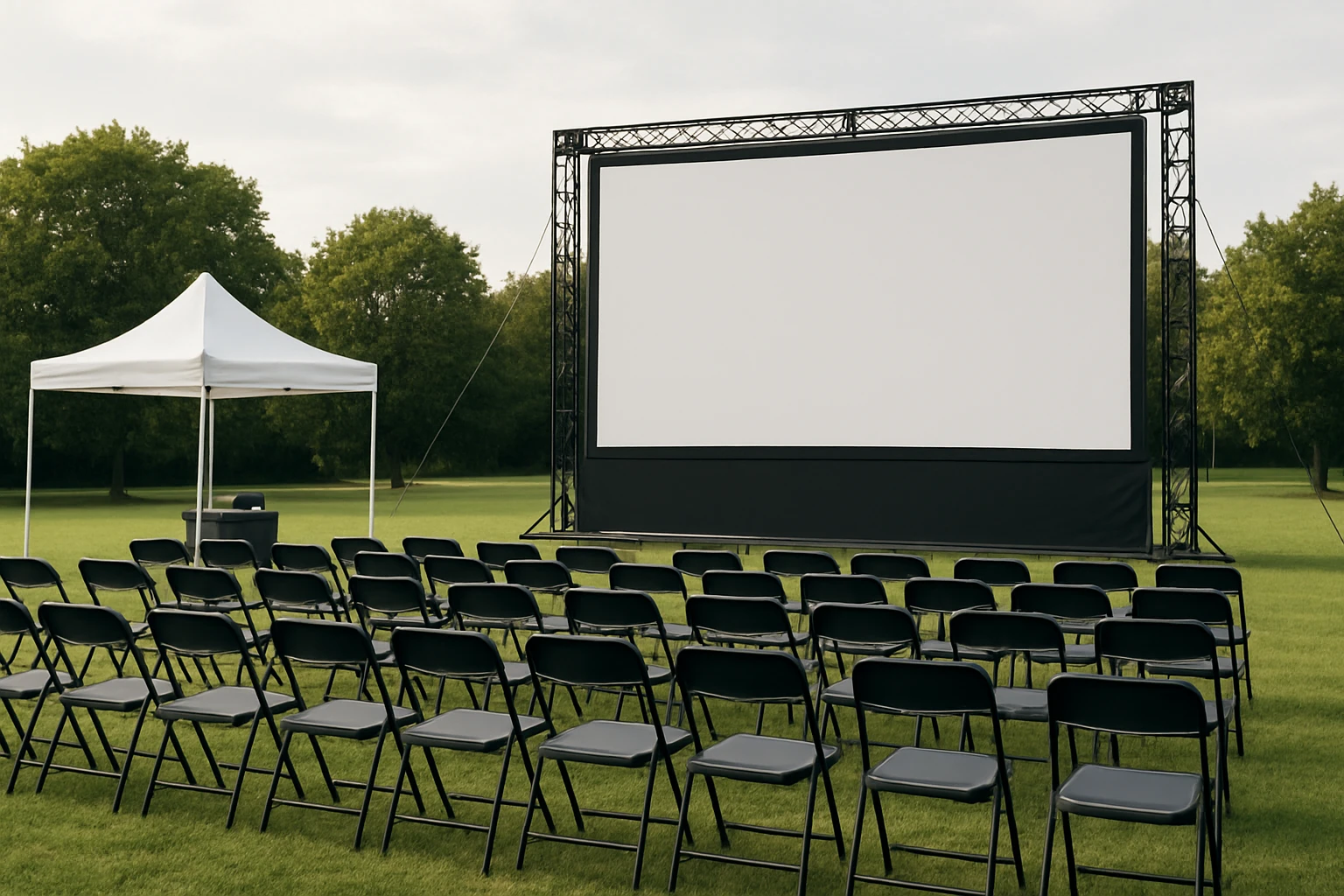
Launching a pop‑up outdoor cinema can transform a simple evening into a memorable community event while generating solid revenue. This guide explains the essential components of a business plan, outlines realistic budgeting methods, and presents proven marketing tactics. Readers will also discover how to select portable display equipment that enhances the cinematic experience without inflating costs. By the end of the article, one will possess a complete roadmap to turn a creative vision into a profitable venture.
Background & Context
Outdoor cinema events have surged in popularity as people seek socially distanced entertainment and unique gathering spots. The model typically involves renting a venue, projecting films on a large screen, and offering concessions such as popcorn and beverages. Success hinges on careful planning, compliance with local regulations, and the ability to deliver high‑quality visual performance in variable lighting conditions. Understanding these fundamentals prepares entrepreneurs to allocate resources efficiently and mitigate common risks.
Step 1: Market Research and Feasibility Study
Begin by identifying target demographics, preferred film genres, and optimal locations. Conduct surveys in neighborhoods, parks, and community centers to gauge interest and price sensitivity. Analyze competing events, noting ticket pricing, seating capacity, and promotional channels. This data informs revenue projections and helps determine whether a weekly, monthly, or seasonal schedule best matches local demand.
Step 2: Defining the Value Proposition
A compelling value proposition differentiates your cinema from traditional theaters and home streaming. Emphasize unique elements such as themed movie nights, local food truck partnerships, or interactive pre‑show activities. Highlight the convenience of a pop‑up format that brings the cinematic experience directly to neighborhoods lacking permanent venues. Clear articulation of these benefits guides branding, messaging, and pricing strategies.
Step 3: Budget Planning
Develop a detailed budget that categorizes fixed and variable costs. Fixed expenses include permits, insurance, and core equipment; variable costs cover marketing, staffing, and consumables. Below is a sample budget template for a single‑event launch:
- Permits & Licenses – $200
- Insurance – $150
- Portable Display Equipment – see product recommendations
- Audio System – $300
- Generator & Power – $250
- Seating (rental or purchase) – $400
- Concessions (popcorn, drinks) – $200
- Marketing (digital ads, flyers) – $250
- Staff wages – $350
- Contingency (10% of total) – $250
Total estimated cost: approximately $2,250 plus equipment purchase. Adjust the numbers according to local pricing and event scale.
Step 4: Selecting the Right Portable Display
The visual centerpiece of an outdoor cinema is the screen, and modern portable monitors can deliver cinema‑grade clarity without the bulk of traditional projectors. Below are three highly rated monitors that balance price, portability, and performance.
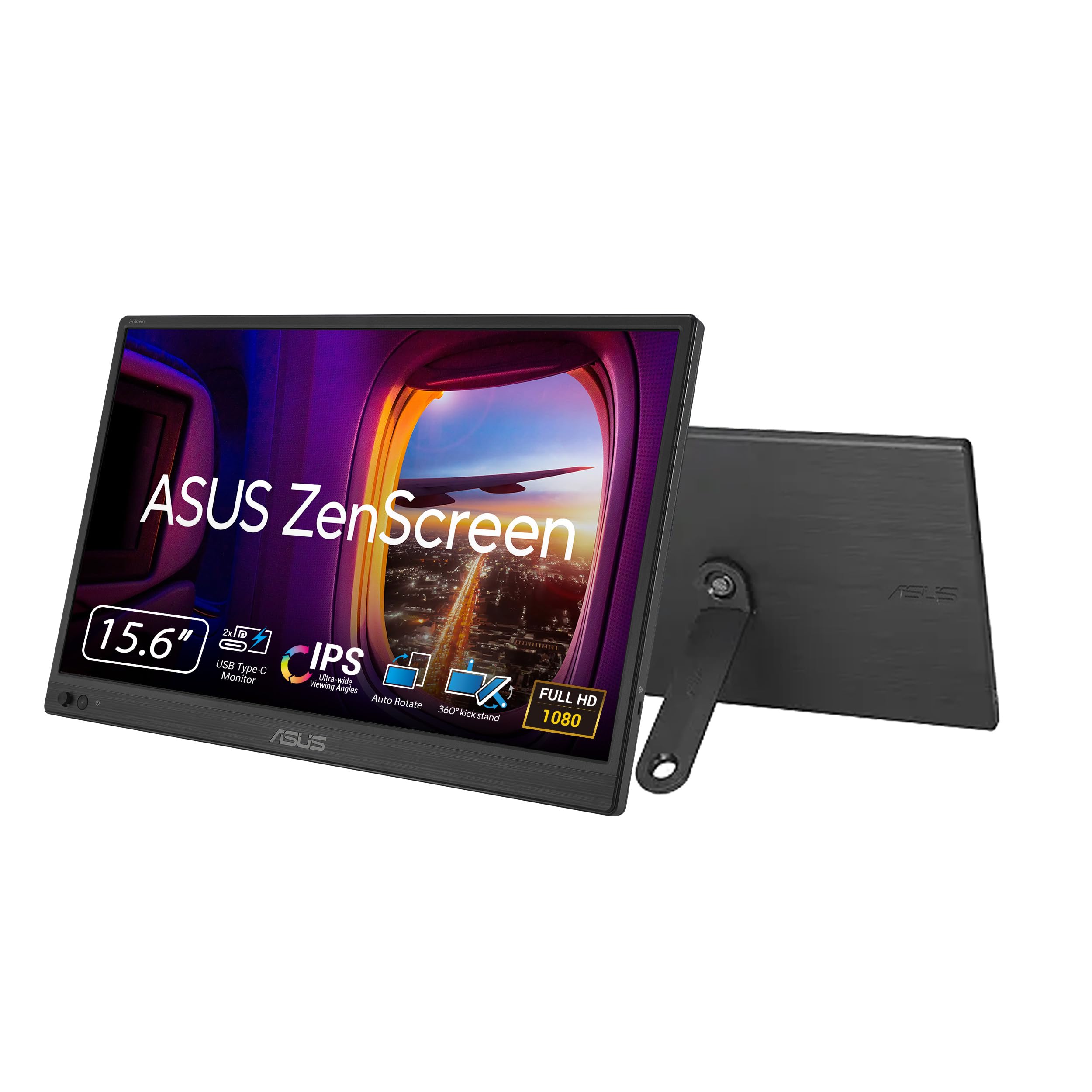
1. ASUS ZenScreen
- 15.6" Full HD IPS panel with anti‑glare coating delivers crisp images even in modest ambient light.
- Single USB‑C connection supplies both power and video, reducing cable clutter and setup time.
- Ultra‑slim 0.78 kg profile (11.8 mm thickness) fits easily into a backpack, ideal for mobile events.
- 360° kickstand and tripod socket allow flexible mounting on stands, walls, or custom rigs.
- Auto‑rotate software automatically switches between portrait and landscape modes, useful for varied content formats.
Price: $89.00 | Rating: 4.5/5 (2,792 reviews). The ZenScreen’s high‑quality IPS panel and single‑cable operation make it a reliable choice for small‑scale pop‑up cinemas that prioritize ease of transport.
2. Yxk Portable Monitor
- 15.6" FHD IPS display with HDR and low‑blue‑light technology reduces eye strain during long screenings.
- Dual Type‑C ports plus a Mini‑HDMI input provide versatile connectivity for laptops, gaming consoles, or media players.
- Weight of 1.43 lb and 0.31‑inch thin profile ensure easy transport and quick setup.
- Built‑in speakers deliver decent audio for outdoor settings when paired with a modest external sound system.
- Multiple display modes (copy, extend, second‑screen) accommodate both single‑screen movie playback and dual‑screen promotional content.
Price: $39.99 | Rating: 4.3/5 (2,058 reviews). Its affordability and dual‑port design make the Yxk monitor suitable for entrepreneurs on a tight budget who still require reliable visual performance.
3. WGK Portable Monitor
- 15.6" Full HD IPS screen with HDR and low‑blue‑light coating for vivid colors and reduced fatigue.
- Dual Type‑C ports and Mini‑HDMI input enable plug‑and‑play operation with laptops, consoles, and smartphones.
- Integrated stand and VESA‑mount compatibility simplify mounting on custom frames or tripods.
- Two built‑in speakers provide supplemental audio, while the monitor’s 2.7 lb weight remains manageable for transport.
- Supports copy, extended, and second‑screen modes, offering flexibility for interactive events.
Price: $39.99 | Rating: 4.3/5 (1,255 reviews). The WGK’s built‑in stand reduces the need for additional mounting hardware, making it a convenient option for rapid deployment.
Comparison & Selection Guide
| Feature | ASUS ZenScreen | Yxk Portable Monitor | WGK Portable Monitor |
|---|---|---|---|
| Price | $89.00 | $39.99 | $39.99 |
| Weight | 0.78 kg (1.72 lb) | 1.43 lb | 2.7 lb |
| Connectivity | USB‑C, Mini‑HDMI | 2× USB‑C, Mini‑HDMI | 2× USB‑C, Mini‑HDMI |
| Built‑in Stand | 360° kickstand | None (requires external stand) | Integrated stand + VESA |
| Ratings (reviews) | 4.5/5 (2,792) | 4.3/5 (2,058) | 4.3/5 (1,255) |
When selecting a monitor, consider three primary factors: budget, portability, and mounting flexibility. The ASUS ZenScreen offers premium build quality and a sleek kickstand at a higher price point, making it ideal for events that require a polished look. The Yxk monitor provides the lowest entry cost and dual‑port versatility, suitable for entrepreneurs testing the market. The WGK model balances price with an integrated stand, reducing auxiliary equipment needs for rapid installations.
Step 5: Marketing Strategy
A robust marketing plan drives ticket sales and builds community awareness. Combine digital and offline tactics to reach diverse audiences.
- Social Media Advertising: Allocate 40% of the marketing budget to targeted Facebook and Instagram ads focusing on local zip codes, interests (film, outdoor activities), and event‑goers.
- Partnerships: Collaborate with local breweries, food trucks, or art galleries to cross‑promote. Offer joint ticket bundles that include refreshments.
- Email Campaigns: Capture email addresses during ticket purchase and send reminder sequences with sneak peeks of upcoming movies.
- Community Outreach: Post flyers in libraries, community centers, and university campuses. Offer discounted student tickets to increase attendance.
- Influencer Engagement: Invite local micro‑influencers to attend a preview night in exchange for social coverage.
Measure performance using key metrics such as click‑through rates, ticket conversion ratios, and cost per acquisition. Adjust spend based on which channels deliver the highest ROI.
Step 6: Revenue & Profit Projections
Projecting revenue requires realistic assumptions about ticket price, attendance, and ancillary sales. Below is a simple three‑month forecast for a weekly event:
| Month | Avg. Attendance per Show | Ticket Price | Concession Avg. Spend | Total Revenue |
|---|---|---|---|---|
| Month 1 | 80 | $12 | $4 | $1,280 |
| Month 2 | 120 | $12 | $5 | $2,040 |
| Month 3 | 150 | $12 | $5 | $2,550 |
Subtract the monthly operating costs (approximately $1,800) to estimate net profit. In this scenario, profit grows from $480 in month one to $720 by month three, illustrating the importance of scaling attendance through effective marketing.
Best Practices & Tips
- Test Equipment Early: Conduct a full‑scale run‑through at the chosen venue to verify brightness, sound levels, and power requirements.
- Secure Power: Use a reliable generator with at least 2,000 W capacity; connect monitors via USB‑C power delivery whenever possible to minimize adapters.
- Weather Contingency: Have a rain‑plan that includes waterproof covers for screens and a clear refund policy for ticket holders.
- Licensing: Obtain public performance rights for each film; many distributors offer short‑term licenses for outdoor screenings.
- Audience Comfort: Provide seating options ranging from folding chairs to picnic blankets, and consider renting portable restrooms for larger events.
- Data Capture: Use QR codes on tickets to collect post‑event feedback, which informs future programming and marketing adjustments.
FAQ
- Do I need a projector if I use a portable monitor? Portable monitors act as self‑contained screens, eliminating the need for a separate projector. However, you must ensure the monitor’s brightness (typically 250–300 cd/m²) is sufficient for the ambient lighting of your venue.
- Can I run multiple monitors for a larger screen? Yes, you can tile two monitors side‑by‑side using a video wall controller or a laptop with dual‑output capability. Ensure both monitors share the same resolution and refresh rate for a seamless image.
- What is the minimum legal requirement for public film screenings? Most jurisdictions require a public performance license, which can be obtained through agencies such as Swank Motion Pictures or directly from the film’s distributor.
- How far in advance should I book permits? Permit applications should be submitted at least 30 days before the event, as many municipalities have limited slots for outdoor gatherings.
- Is USB‑C power sufficient for outdoor use? USB‑C can deliver up to 100 W, which is adequate for most 15.6" monitors. For extended events, pair the monitor with a portable power bank that supports USB‑PD (Power Delivery) or a generator with a stable 5 V/2 A output.
- What backup plan should I have for technical failures? Keep a spare HDMI cable, an extra USB‑C charger, and a secondary monitor (or a compact projector) on site. A quick swap can prevent lost revenue.
- How can I increase per‑ticket revenue? Offer tiered pricing that includes premium seating, bundled concessions, or early‑bird discounts. Bundles encourage higher spend per attendee.
Conclusion
Creating a winning pop‑up outdoor cinema business plan requires diligent market research, realistic budgeting, strategic marketing, and the right technical equipment. By following the step‑by‑step framework outlined above, entrepreneurs can launch events that delight audiences while delivering measurable profit. The recommended portable monitors—ASUS ZenScreen, Yxk Portable Monitor, and WGK Portable Monitor—provide flexible, high‑quality visual solutions that adapt to various budget levels. With careful execution, a pop‑up outdoor cinema can become a sustainable source of community entertainment and revenue.
Products Featured in This Guide
ASUS ZenScreen
Price: $89.00
Rating: 4.5/5 (2,792 reviews)
Featured for its premium IPS panel, single‑cable USB‑C operation, and ultra‑slim, lightweight design—ideal for mobile cinema setups.
Yxk Portable Monitor
Price: $39.99
Rating: 4.3/5 (2,058 reviews)
Featured for its affordability, dual Type‑C ports, HDR support, and built‑in speakers—providing great value for budget‑conscious operators.
WGK Portable Monitor
Price: $39.99
Rating: 4.3/5 (1,255 reviews)
Featured for its integrated stand, VESA‑mount capability, and solid audio‑visual performance—making rapid deployment straightforward.
Frequently Asked Questions
What key sections should be included in a pop‑up outdoor cinema business plan?
Include an executive summary, market analysis, operations plan, equipment list, budgeting, marketing strategy, and risk/compliance overview.
How can I estimate the startup budget for a pop‑up outdoor cinema?
Calculate costs for venue rental, portable screen and projector, sound system, permits, insurance, staffing, and concessions inventory, then add a 10‑15% contingency.
What marketing tactics work best for attracting audiences to outdoor cinema events?
Leverage local social media groups, partner with community organizations, offer early‑bird tickets, and use eye‑catching teaser videos of the venue setup.
Which portable display equipment offers the best value without sacrificing quality?
A high‑lumens (3000‑5000) LED projector paired with a tension‑grid inflatable screen provides bright images and easy transport at moderate cost.
What legal and safety regulations must I consider before hosting an outdoor cinema?
Obtain public assembly permits, ensure copyright licensing for films, comply with noise ordinances, provide adequate lighting and emergency exits, and secure liability insurance.

