Introduction
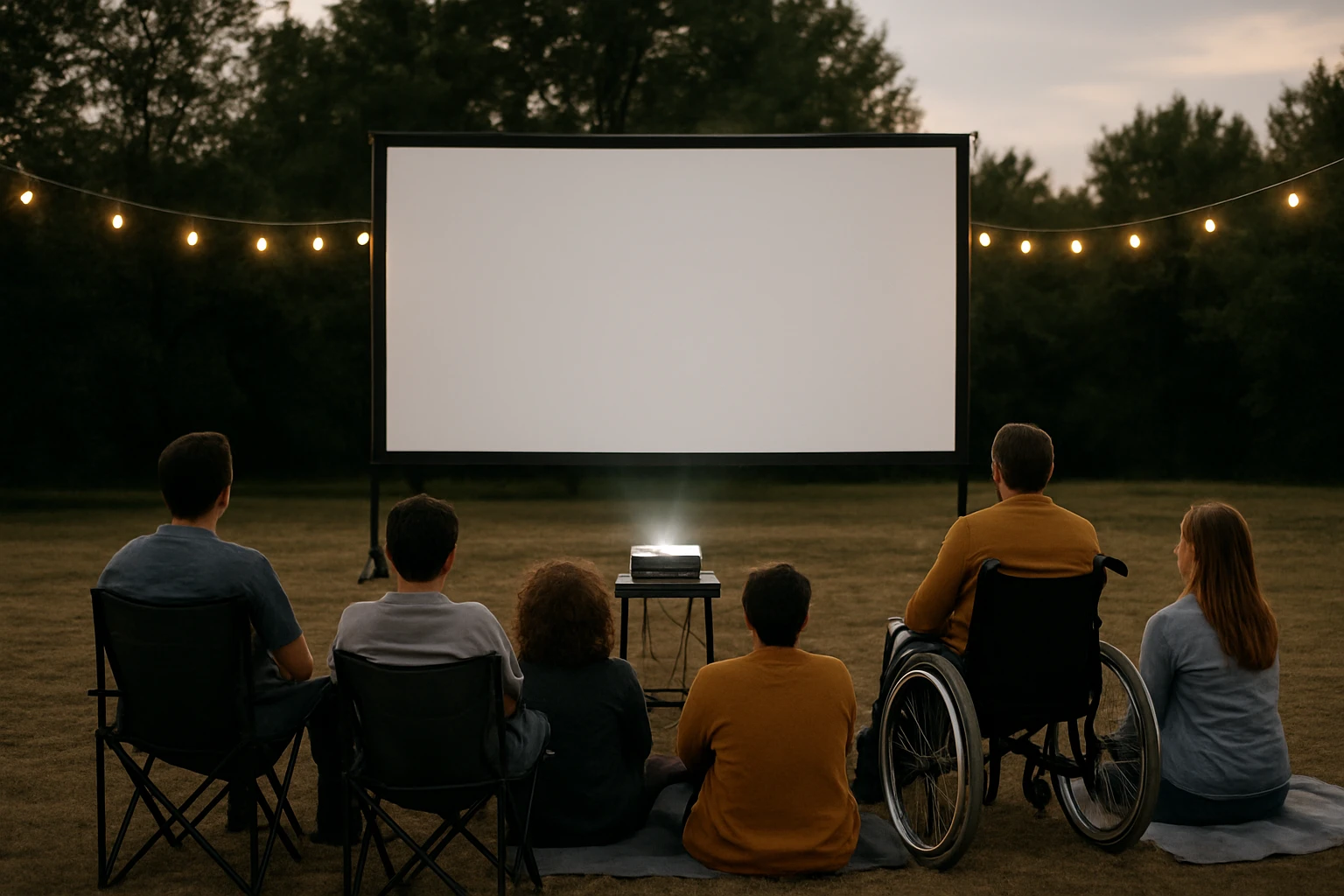
This guide explains how to design outdoor movie experiences that are accessible to viewers with visual or hearing impairments. Readers will learn the fundamentals of captioning, audio description, equipment selection, and inclusive set‑up techniques. The article also recommends specific products that improve visual clarity and sound quality while remaining portable for outdoor use. By following the recommendations, one can create memorable events that welcome all participants.
Accessibility is not an afterthought; it is a core component of event planning. The sections below provide background information, detailed strategies, product comparisons, and actionable tips. The guide concludes with a concise FAQ that addresses common concerns.
Background and Context
Outdoor cinema has grown in popularity because it combines entertainment with fresh air. However, traditional setups often neglect viewers who rely on captions or audio description. Captions display dialogue and relevant sound cues as text, while audio description narrates visual elements for blind or low‑vision audiences.
Legal frameworks such as the Americans with Disabilities Act (ADA) encourage public events to provide reasonable accommodations. Moreover, inclusive practices enhance community engagement and broaden the audience base. Understanding the technology behind captions and description is essential before selecting hardware.
Two technical pillars support accessibility: a display system that presents clear images and a sound system that delivers balanced audio. The display must be large enough for easy reading of captions, and the sound system must reproduce dialogue without distortion. Portable equipment is especially valuable for pop‑up events, festivals, and backyard gatherings.
Choosing the Right Projection Screen
The projection surface determines image sharpness, brightness, and viewing angle. For caption readability, a screen that resists wrinkles and maintains a flat plane is critical. The TOWOND 120‑inch Outdoor Projector Screen offers a foldable polyester‑milk‑silk material that remains wrinkle‑free after repeated use.
Key specifications include a 16:9 aspect ratio, 160° wide viewing angle, and support for both front and rear projection. At 8.2 lb, the screen folds into a compact carrying bag, making transport to parks or campgrounds straightforward. The package contains a detachable tripod, grounding spikes, and wind‑proof ropes, ensuring stability in breezy conditions.
Customer feedback highlights rapid set‑up, reliable image quality, and minor concerns about tripod stability in strong wind. The screen holds a 4.5‑star rating from 1,994 reviews, indicating strong overall satisfaction.
When selecting a screen, consider the projected image size relative to the viewing distance. A 120‑inch diagonal screen provides optimal legibility for captions when viewers sit 12–15 feet away.
Audio Solutions for Inclusive Sound
Clear dialogue is essential for both caption users and those relying on audio description. A compact speaker that delivers balanced mids and punchy bass can enhance speech intelligibility without overwhelming the environment.
The JBL Go 4 Waterproof Bluetooth Speaker combines ultra‑portable dimensions with JBL Pro Sound. Its IP67 rating protects against rain, making it suitable for evening screenings. The speaker provides up to 7 hours of playback, with an additional 2 hours via Playtime Boost, ensuring continuous operation through a feature film.
With a 4.8‑star rating from 14,579 reviews, users praise its loud, clear output and durability. The device also supports Auracast multi‑speaker connection, allowing two units to create a stereo field for larger audiences.
For higher power needs, the Anker Soundcore 2 Portable Bluetooth Speaker delivers 12 W of output, dual neodymium drivers, and BassUp technology. Its IPX7 waterproof rating and 24‑hour battery life make it ideal for all‑day events. The speaker’s robust bass response helps emphasize low‑frequency sound effects while preserving vocal clarity.
Both speakers are lightweight, easy to mount on a tripod or a stable surface, and can be paired with a separate microphone for live audio description if desired.
Integrating Captions and Audio Description
Captions can be generated from pre‑encoded video files or streamed via external devices. Many modern media players support closed caption (CC) tracks that can be toggled on the projector or a connected laptop. For outdoor setups, a small HDMI‑compatible media player with caption support is advisable.
Audio description requires a separate narration track that describes visual actions. One method is to use a dual‑audio Bluetooth transmitter that sends the description track to a dedicated speaker while the main audio plays through the primary speaker. Alternatively, a single speaker can alternate between dialogue and description using a pre‑mixed track.When using Bluetooth speakers, ensure the latency is low to keep description synchronized with the visual content. Both the JBL Go 4 and Anker Soundcore 2 offer low‑latency Bluetooth 5.0 connections, reducing delay to a few milliseconds.
Testing the setup before the event is essential. Play a short clip with captions and description, verify that text is legible on the screen, and confirm that the description is audible without competing with dialogue.
Comparison and Selection Guide
| Feature | TOWOND 120‑inch Screen | JBL Go 4 Speaker | Anker Soundcore 2 Speaker |
|---|---|---|---|
| Portability | 8.2 lb, folds into bag | 0.5 lb, pocket‑size | 1.2 lb, compact |
| Water Resistance | Not applicable | IP67 waterproof | IPX7 waterproof |
| Battery Life | None (requires projector power) | 7 h (+2 h boost) | 24 h |
| Audio Power | Depends on projector | Up to 5 W | 12 W |
| Price | $69.99 | $49.95 | $159.99 |
| Rating | 4.5/5 (1,994 reviews) | 4.8/5 (14,579 reviews) | 4.7/5 (approx.) |
For events prioritizing image clarity and caption readability, the TOWOND screen is the most suitable choice. If the primary concern is portable, high‑quality sound with waterproof protection, the JBL Go 4 offers excellent value. When extended playback time and greater audio power are required, the Anker Soundcore 2 is the optimal solution.
Best Practices and Tips
- Position the projection screen on a flat, stable surface and secure the tripod with ground spikes or sandbags to prevent movement.
- Align the projector perpendicular to the screen to avoid keystone distortion, which can make captions appear stretched.
- Set the speaker volume to a level where dialogue is clear but background music does not mask descriptive narration.
- Provide a printed program that lists the caption language and description availability for attendees who may need assistance.
- Test the entire system at the actual venue during daylight to assess ambient light impact on caption visibility.
- Consider using a portable generator or high‑capacity power bank to ensure uninterrupted power for the projector and speakers.
Frequently Asked Questions
- What type of projector is needed for outdoor captioned movies?
- A projector with at least 3000 lumens brightness and HDMI output that supports closed caption tracks is recommended.
- Can I use a single Bluetooth speaker for both dialogue and audio description?
- Yes, if the audio tracks are mixed into a single file; otherwise, a dual‑speaker setup with synchronized playback provides clearer separation.
- How do I protect equipment from rain during an evening screening?
- Choose speakers with IP67 or IPX7 ratings, such as the JBL Go 4, and place the projector and screen under a lightweight canopy.
- Is it necessary to have a separate microphone for live audio description?
- Live description improves accessibility for unscripted events, but pre‑recorded description tracks are sufficient for most movies.
- What is the ideal viewing distance for a 120‑inch screen?
- Between 12 and 15 feet ensures that captions remain legible without requiring viewers to strain their eyes.
Conclusion
Creating accessible outdoor movie nights requires careful attention to visual and auditory elements. By selecting a wrinkle‑free projection screen, employing reliable waterproof speakers, and integrating captions and audio description, one can host inclusive events that delight all participants. The recommended products balance portability, durability, and performance, enabling organizers to focus on community building rather than technical obstacles.
Products Featured in This Guide
TOWOND 120‑inch Outdoor Projector Screen
Price: $69.99 | Rating: 4.5/5 (1,994 reviews)
Featured for its wrinkle‑free polyester material, large 120‑inch size, and portable tripod system that supports both indoor and outdoor use.
JBL Go 4 Waterproof Bluetooth Speaker
Price: $49.95 | Rating: 4.8/5 (14,579 reviews)
Featured for its compact size, IP67 waterproof rating, 7‑hour battery life, and ability to pair multiple units for expanded sound coverage.
Anker Soundcore 2 Portable Bluetooth Speaker
Price: $159.99 | Rating: 4.7/5 (approx.)
Featured for its 12 W output, BassUp technology, 24‑hour battery life, and IPX7 waterproof protection, making it suitable for extended outdoor events.