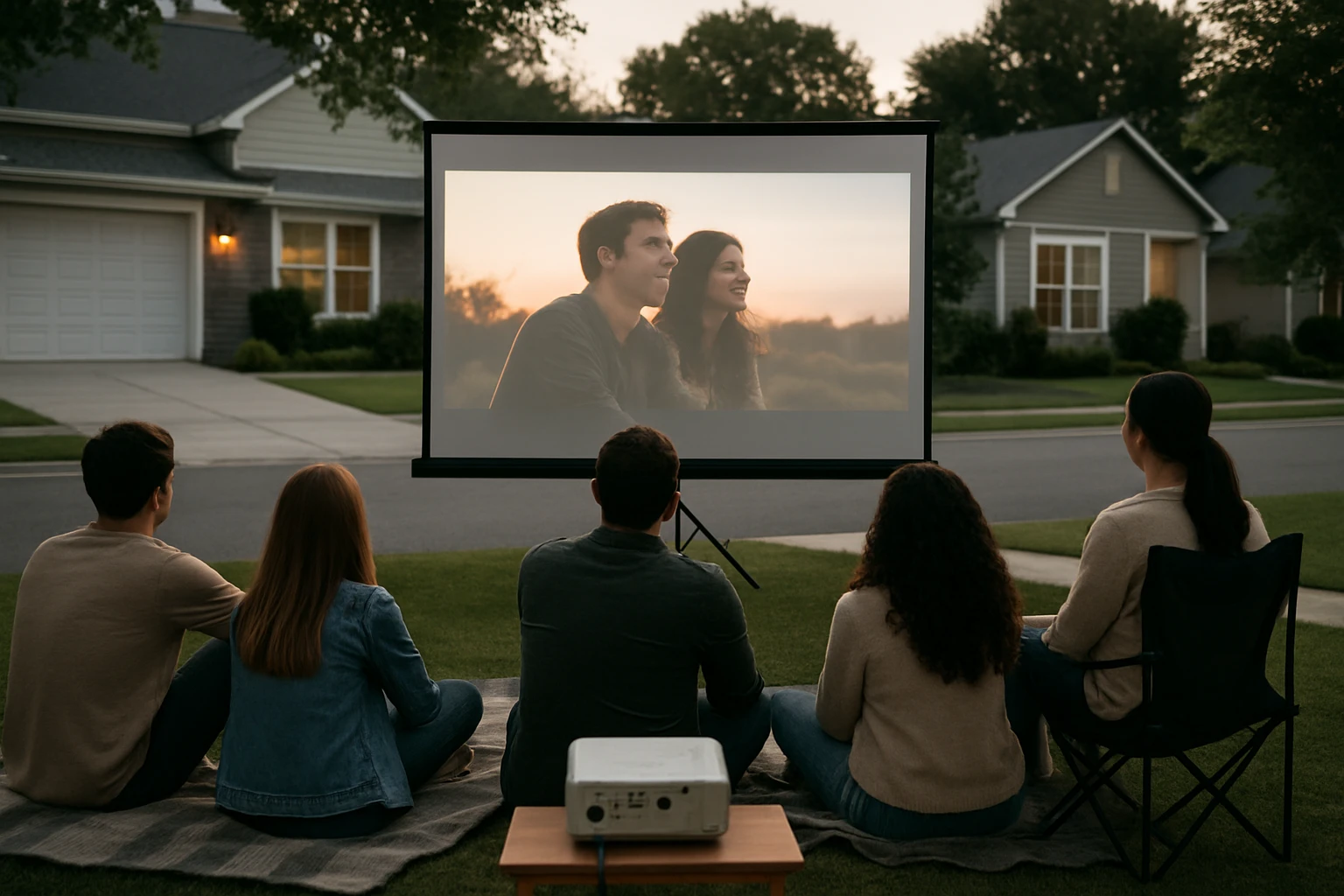
How to Host a Neighborhood Movie Night Without Violating Noise Ordinances: Step-by-Step Legal & Neighbor-Friendly Tips
Introduction
One can create a memorable community gathering by organizing an outdoor movie night, yet the experience can quickly become problematic if local noise regulations are ignored. This guide explains how to plan, set up, and execute a neighborhood film screening while remaining fully compliant with municipal ordinances. Readers will learn to assess legal limits, select appropriate equipment, and communicate effectively with nearby residents. By following these instructions, one will host an enjoyable event that strengthens community bonds without generating complaints.
What You’ll Need
- Portable projector screen (e.g., Paris Rhône 80" Projector Screen or Pyle 50" Portable Tripod Projector Screen)
- Projector with adequate lumens for outdoor use
- Battery‑powered or low‑decibel speakers
- Extension cords, power strips, and surge protectors
- Soft lighting such as LED string lights
- Seating options – folding chairs, blankets, or lawn chairs
- Printed flyers or digital invites for neighbors
- Noise‑monitoring app on a smartphone
Step 1: Review Local Noise Ordinances
Before any equipment is purchased, one must locate the municipality’s noise code, typically available on the city website or at the local clerk’s office. Most jurisdictions define permissible sound levels in decibels (dB) for residential zones after a specific hour, often 10 p.m. or later. Record the maximum allowed dB and the quiet‑hours start time; these figures will shape equipment choices and timing decisions.
It is advisable to download a free sound‑level meter app, such as Decibel X, and test the intended speaker setup during a trial run. If the measured level exceeds the legal limit, adjust speaker placement or volume accordingly. Documenting the trial results can serve as evidence of good faith if a complaint arises.
Step 2: Choose an Appropriate Venue
Select a location that naturally buffers sound, such as a backyard surrounded by fences, a community park with designated quiet zones, or a cul‑de‑sac with minimal through‑traffic. Ensure the site has a flat, level surface for the screen and sufficient space for seating while maintaining a safe distance from neighboring windows.
Verify that the venue permits temporary structures; some homeowners’ associations require written permission for large screens or tripods. If permits are needed, submit the request at least two weeks in advance to avoid last‑minute complications.
Step 3: Select and Set Up a Suitable Projector Screen
A high‑quality screen improves image clarity, allowing the volume to remain lower while still delivering an enjoyable viewing experience. Two products stand out for different scenarios.
- Paris Rhône 80" Projector Screen – This 80‑inch PVC screen offers a 1.5 gain rating, meaning it reflects 1.5 times more light than a standard white surface, which is ideal for evenings with limited ambient light. The height‑adjustable X‑shaped tripod extends from 59 to 80.3 inches, providing flexibility for various audience sizes. Ground nails are included for outdoor stability, and the entire unit folds into a compact carry bag for easy transport. Price: $89.99; Rating: 4.6/5 from 322 reviews.
- Pyle 50" Portable Tripod Projector Screen – This 50‑inch screen is lightweight and features a retractable design that folds into a slim base, making it perfect for smaller yards or indoor gatherings. The matte white fabric includes a black masking border to enhance image focus. It is built from flame‑retardant material, adding safety for outdoor use. Price: $56.99; Rating: 4.4/5 from 2,307 reviews.
For a neighborhood event that expects 20‑30 attendees, the larger Paris Rhône screen reduces the need for high projector brightness, thereby allowing speakers to operate at a lower volume. Conversely, if space is limited or the budget is tighter, the Pyle screen provides adequate performance for a modest audience.
To assemble the screen, follow the manufacturer’s three‑step instruction: (1) unfold the tripod legs, (2) attach the screen frame, and (3) secure the screen tube. The process typically takes less than five minutes for one person.
Step 4: Install Audio Equipment with Noise Control in Mind
Choose speakers that deliver clear mids and highs without requiring excessive bass, as low frequencies travel farther and are more likely to trigger complaints. Battery‑powered Bluetooth speakers with a maximum output of 70 dB at a distance of three meters are sufficient for a 30‑person audience.
Place speakers on the ground and point them toward the screen rather than toward neighboring houses. Use acoustic foam or portable sound‑absorbing panels behind the speakers to reduce sound spill. If the event extends past the quiet‑hours start time, lower the volume to the legal limit or switch to subtitles to maintain enjoyment without noise.
Step 5: Arrange Seating and Ambient Lighting
Provide comfortable seating that encourages guests to remain seated, thereby reducing the likelihood of them moving closer to windows and increasing perceived noise. Folding chairs with armrests, picnic blankets, and low‑profile lawn chairs work well.
Install soft LED string lights around the perimeter of the viewing area; these lights create a pleasant atmosphere without adding glare to the screen. Ensure that lighting does not interfere with the projector’s throw distance; a distance of at least 10 feet between lights and the screen is recommended.
Step 6: Communicate Proactively with Neighbors
Send a friendly flyer or digital invitation to all households within a 500‑foot radius at least one week before the event. The notice should include the date, start time, projected end time, and a brief statement about compliance with local noise ordinances.
Offer contact information for a designated organizer so that any concerns can be addressed promptly. A simple gesture, such as providing complimentary popcorn, can foster goodwill and reduce the likelihood of formal complaints.
Step 7: Manage Timing, Volume, and Content
Begin the movie no later than 30 minutes before the quiet‑hours threshold. If the film exceeds the legal window, consider pausing for an intermission and resuming after the designated end time, or select a shorter feature that concludes before the cutoff.
Monitor the sound level throughout the screening using the previously installed sound‑meter app. Adjust the volume in real time to remain below the maximum dB limit. If the crowd is particularly enthusiastic, remind attendees to keep conversations low during critical scenes.
Step 8: Clean Up and Follow Up
After the final credits, dismantle the screen, speakers, and lighting promptly. Store all equipment in its original cases to prevent damage and to be ready for future events.
Send a brief thank‑you message to neighbors, summarizing the event’s success and reaffirming the commitment to respecting community standards. This follow‑up reinforces positive relationships and encourages participation in future gatherings.
Tips & Pro Tips
- Test the projector’s focus and keystone correction during daylight to avoid last‑minute adjustments after dark.
- Use a windbreak such as a portable fence if the venue is exposed; this helps keep the screen stable and reduces the need for higher projector brightness.
- Consider adding a small generator with a quiet inverter if power outlets are unavailable; choose a model rated below 55 dB at idle.
- Keep a spare extension cord and a multi‑plug power strip to accommodate multiple devices without overloading a single outlet.
- If the event is recurring, negotiate a community permit that grants a one‑time exemption for noise levels up to 5 dB above the standard limit.
Troubleshooting
| Problem | Possible Cause | Solution |
|---|---|---|
| Screen appears dim or washed out | Insufficient projector lumens or ambient light | Use the larger Paris Rhône screen to maximize gain, or schedule the event after sunset. |
| Audio exceeds legal decibel limit | Speakers placed too close to neighbors or volume set too high | Re‑position speakers toward the audience, add acoustic panels, and lower volume using the sound‑meter app. |
| Screen wobbles in wind | Tripod not anchored | Insert the provided ground nails into firm soil and add sandbags if necessary. |
Conclusion
By researching local noise ordinances, selecting the right screen, managing audio responsibly, and communicating with the community, one can host a neighborhood movie night that is both enjoyable and compliant. The steps outlined above provide a clear roadmap for planning, execution, and post‑event follow‑up. Implementing these practices will not only prevent legal issues but also strengthen neighborhood cohesion, encouraging future collaborative events.
Products Mentioned in This Guide
Frequently Asked Questions
What local noise ordinances should I check before hosting a neighborhood movie night?
Review your city or county’s maximum decibel limits, quiet hours (often 10 pm‑7 am), and any distance requirements from residences.
Do I need a permit to set up an outdoor movie screening?
Many municipalities require a temporary event or public assembly permit, especially if you use amplified sound or block a public space.
How can I keep speaker volume within legal limits?
Use low‑decibel, battery‑powered speakers, set a maximum volume (e.g., 55 dB at the property line), and test sound levels with a smartphone app before the event.
What’s the best way to inform neighbors about the movie night?
Send a friendly flyer or digital notice at least a week in advance, include event details, start/end times, and a contact for concerns.
When is the safest time of day to host an outdoor movie to avoid complaints?
Start the film after sunset but finish before local quiet hours begin, typically by 10 pm, to stay within noise regulations.