Introduction
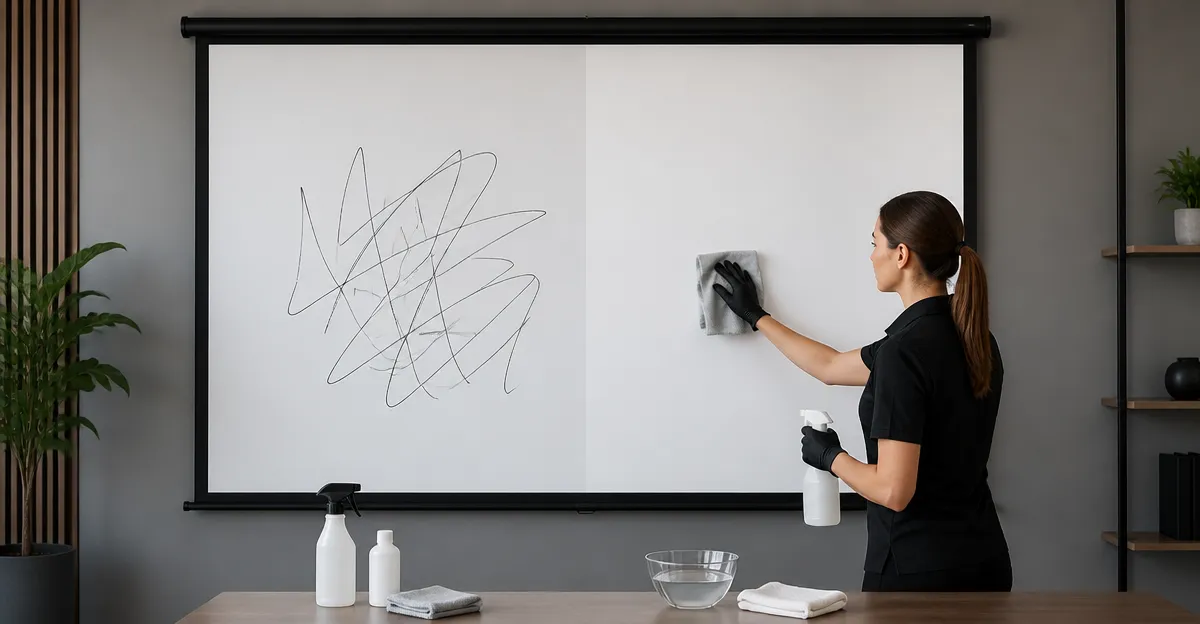
Graffiti on a projector screen can ruin the viewing experience and may appear impossible to remove without leaving marks. This guide explains how to eliminate spray‑paint or marker graffiti while preserving the screen surface. The reader will learn a systematic approach, the safest cleaning agents, and when replacement is the most sensible option. Mastering these techniques will extend the life of a valuable screen and protect future investments.
What You’ll Need
- Soft microfiber cloths
- Mild dish‑soap solution
- Isopropyl alcohol (70% or less)
- Cotton swabs
- Gentle plastic scraper or old credit card
- Protective gloves
- Clean, dry towels
- Optional: a replacement screen if the surface is beyond repair
Step 1 – Assess the Graffiti
Begin by examining the extent of the graffiti and identifying the type of paint used. Spray paint tends to sit on the surface, while permanent markers may have penetrated the fabric fibers. Determine whether the screen material is polyester, fiberglass, or PVC, because each reacts differently to solvents. If the screen is a high‑gain fiberglass model, such as the VISULAPEX 80" Projector Screen, extra caution is required to avoid dulling the reflective coating.
Step 2 – Prepare the Work Area
Clear the surrounding space to prevent accidental spills on furniture or flooring. Lay a clean drop cloth beneath the screen to catch runoff from cleaning solutions. Ensure adequate ventilation when using alcohol, as fumes can be irritating. Wearing protective gloves will keep your hands free from harsh chemicals and prevent accidental smudging.
Step 3 – Test a Small Inconspicuous Area
Before treating the entire graffiti, select a corner that is not directly in the audience’s line of sight. Dampen a microfiber cloth with a diluted soap solution and gently rub for ten seconds. Observe the fabric for any discoloration, stretching, or loss of gain. If the test area remains unchanged, proceed; otherwise, limit the use of solvents and consider a screen replacement such as the Mdbebbron 120" Projector Screen, which features anti‑crease polyester that tolerates mild cleaning.
Step 4 – Apply a Mild Cleaning Solution
Mix two drops of gentle dish‑soap with one cup of warm water. Soak a clean microfiber cloth in the solution, then wring out excess liquid until the cloth is damp, not wet. Press the cloth onto the graffiti for a few seconds to soften the paint without saturating the screen. This initial step reduces the need for stronger solvents, protecting the screen’s gain and color fidelity.
Step 5 – Gently Remove the Graffiti
If the paint does not lift, dampen a second cloth with a 50/50 mixture of isopropyl alcohol and water. Lightly dab the affected area, allowing the alcohol to break down the pigment. Using a plastic scraper or an old credit card, glide the edge across the surface at a shallow angle; the scraper should never dig into the fabric. For stubborn marker lines, apply a small amount of alcohol to a cotton swab and trace the line, working from the outer edge toward the center to avoid spreading.
Step 6 – Rinse and Dry
After the graffiti is removed, wipe the screen with a fresh cloth moistened only with plain water to eliminate any residue. Follow with a dry microfiber towel, patting rather than rubbing to prevent new creases. Allow the screen to air dry for at least fifteen minutes before reinstalling it on its frame or wall mount. Proper drying ensures that no moisture remains to attract dust or cause mildew.
Step 7 – Evaluate the Result and Consider Replacement
Inspect the cleaned area under ambient lighting. If faint traces remain or the fabric shows signs of wear, a replacement screen may provide a more consistent viewing experience. The STWUI 120" Projector Screen with Stand offers a sturdy, weighted chassis and an elastic‑material surface that resists creasing, making it an ideal backup. It features a 16:9 aspect ratio, 4K compatibility, and a quick‑assembly design that can be set up in eight minutes, priced at $59.99 with a 4.3‑star rating from 1,202 reviewers.
For users who prefer a dual‑sided option, the TOWOND 120" Projector Screen with Stand provides front and rear projection capability, a 160° viewing angle, and a lightweight aluminum stand that packs into a travel bag. At $62.99 and a 4.5‑star rating, it balances portability with stability, making it suitable for both backyard cinema and indoor presentations.
If a larger format is desired, the AAJK 150" Outdoor Projector Screen delivers a massive 132"×72" viewing area for community events. Priced at $28.49 with a 4.4‑star rating, it remains an economical choice for large‑scale gatherings, though its frame is less robust than the STWUI model.
Tips & Pro Tips
- Always work from the outer edge of the graffiti toward the center to limit spreading.
- Use only soft, lint‑free cloths; abrasive materials can damage the screen’s gain coating.
- Do not apply cleaning solutions directly onto the screen; always dampen a cloth first.
- For outdoor screens, perform cleaning on a calm day to prevent wind from blowing debris onto the wet surface.
- Store the screen rolled in its original tube to maintain tension and avoid future creases.
Troubleshooting
Problem: Paint remains after the first cleaning attempt.
Solution: Re‑apply the alcohol mixture, but limit exposure to 30 seconds per area. If the paint still persists, it may have penetrated the fabric, indicating that replacement is the safest route.
Problem: The screen appears dull after cleaning.
Solution: Lightly buff the area with a dry microfiber cloth to restore the reflective surface. Avoid using paper towels, as they can leave fibers.
Conclusion
Removing graffiti from a projector screen requires patience, the right cleaning agents, and an understanding of the screen’s material composition. By following the systematic steps outlined above, one can achieve a clean surface without compromising image quality. When the screen is beyond repair, investing in a high‑quality replacement such as the STWUI, TOWOND, or Mdbebbron models ensures long‑term performance. Apply these techniques confidently, and enjoy uninterrupted, cinema‑grade presentations.
Products Mentioned in This Guide
Frequently Asked Questions
What cleaning solution is safest for removing spray‑paint graffiti from a projector screen?
Use a mild dish‑soap solution followed by a 70% or lower isopropyl alcohol wipe, applied with a soft microfiber cloth.
Can I use bleach or other household cleaners on my projector screen?
No; harsh chemicals like bleach can damage the screen coating and should be avoided.
How can I tell if graffiti has penetrated the screen material and requires replacement?
If the paint or marker stains remain after gentle cleaning and the fibers feel stiff or discolored, the screen is likely beyond repair.
What tools should I avoid when scraping graffiti off a projector screen?
Do not use metal scrapers or abrasive pads; stick to a gentle plastic scraper or an old credit card.
How often should I clean a projector screen after removing graffiti to keep it in good condition?
Clean the screen once more after the graffiti is removed, then perform routine dusting weekly to maintain surface integrity.