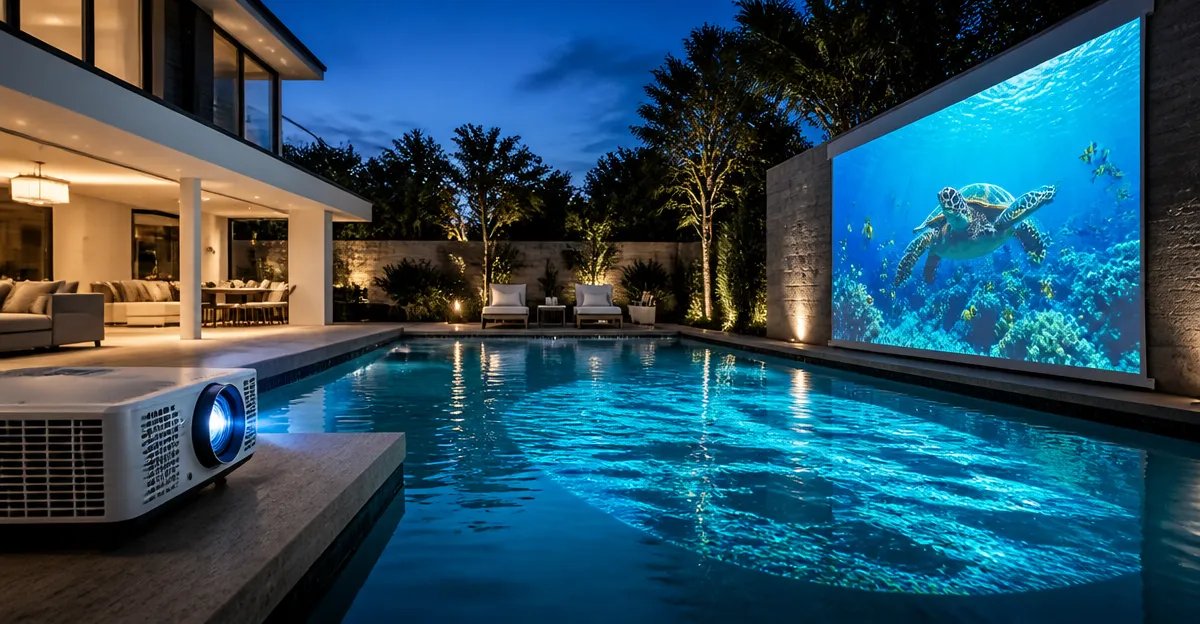
Introduction
This guide explains how to transform a swimming pool into a luminous canvas for parties, celebrations, or tranquil evenings. Readers will discover the essential equipment, a clear step‑by‑step workflow, and safety measures that protect both equipment and guests. By following the instructions, one can achieve bright, focused images on water without excessive trial and error.
The process combines optical fundamentals, proper mounting, and reliable connectivity. Professional‑grade projectors provide the brightness and durability required for outdoor water surfaces, while inexpensive accessories can improve stability and safety. The result is a memorable visual experience that enhances any outdoor gathering.
What You’ll Need
- Suitable projector (see recommendations below)
- Stable mounting platform or tripod
- Water‑resistant screen or floating projection surface (optional)
- Power source with surge protection
- Wi‑Fi or Bluetooth enabled device for streaming content
- Extension cords and cable management clips
- Safety equipment: non‑slip mats, pool covers, and warning signs
All of the items listed are readily available on Amazon, and the recommended projectors are specifically engineered for outdoor or high‑ambient‑light environments.
1. Choose a Suitable Projector
The most critical decision is selecting a projector that delivers sufficient brightness (measured in ANSI lumens) and can operate in humid conditions. Two models stand out for pool‑water projection:
- Aurzen Roku Smart Portable Projector – 1080P Full HD, auto focus, keystone correction, and dual 5W speakers. Priced at $129.99 with a 4.6‑star rating from 934 reviews, it offers Roku’s extensive app library without additional dongles.
- HAPPRUN Google TV 4K Projector – 3000 ANSI lumens, 4K support, Dolby Audio, and Google TV integration. It costs $499.98 and holds a 4.4‑star rating from 100 reviews, making it ideal for bright daylight use.
The Aurzen model is budget‑friendly and sufficient for evening shows, while the HAPPRUN model provides the extra lumen output needed for daytime events. Both include Wi‑Fi and Bluetooth, allowing direct streaming from smartphones or tablets.
2. Prepare the Projection Area
Projecting onto water requires a calm, flat surface to reflect light evenly. Follow these actions:
- Ensure the pool water is still; use a pool cover or gently calm the surface with a paddle if wind is present.
- If a floating screen is desired, lay a lightweight, waterproof fabric (such as a PVC sheet) on the water to increase reflectivity.
- Mark the projection zone with non‑slip mats around the projector’s base to prevent accidental slips.
These steps reduce image distortion caused by ripples and improve overall brightness.
3. Set Up the Mounting Platform
A stable platform guarantees consistent focus and keystone correction. For most backyard pools, a tripod or a sturdy table works well. The following product simplifies this step:
- ONOAYO 4K Smart Outdoor Projector – Although primarily a projector, its lightweight design (2.4 lb) and built‑in mounting holes allow attachment to a standard tripod. Priced at $241.99 with a 4.5‑star rating from 1,292 reviews, it offers AI auto‑focus in three seconds, reducing the need for manual adjustments.
Attach the projector to a tripod using the M4 screw port at the bottom. Position the tripod so the lens is 12‑15 feet above the water surface, creating a 60‑ to 150‑inch image depending on desired size.
4. Connect Power and Network
Outdoor environments often lack nearby outlets. Use a weather‑proof extension cord with a surge protector to safeguard electronics from voltage spikes caused by outdoor lighting. After connecting power, follow these networking steps:
- Power on the projector and navigate to the Wi‑Fi settings.
- Connect to the home network (2.4 GHz or 5 GHz) – both the Aurzen and HAPPRUN models support dual‑band Wi‑Fi for stable streaming.
- If a wired connection is preferred, use an Ethernet‑to‑USB adapter (not included) for a more reliable link.
Strong Wi‑Fi ensures buffer‑free playback of high‑resolution video, which is essential for maintaining image clarity on a reflective water surface.
5. Calibrate Image Settings
Accurate focus and geometry are vital. The recommended projectors include automatic features that simplify calibration:
- Auto Focus & Keystone – The Aurzen projector automatically adjusts focus and corrects keystone distortion within seconds after power‑on, eliminating manual lens rotation.
- AI Auto Adjustment – The ONOAYO model detects tilt and distance, delivering a sharp image in three seconds.
- 6D Auto Keystone – The HAPPRUN Google TV projector corrects both horizontal and vertical keystone errors, ensuring a perfectly rectangular projection even when the projector is slightly off‑center.
After the automatic process, fine‑tune brightness and contrast using the projector’s on‑screen menu. For pool water, set the brightness to the maximum (3000 ANSI lumens for the HAPPRUN model) to overcome ambient light reflections.
6. Stream Content to the Projector
All recommended devices include built‑in streaming apps, removing the need for external sticks. Choose a streaming source based on the event:
- For family movie nights, select Netflix, Prime Video, or Disney+ directly from the Roku interface on the Aurzen projector.
- For live sports or concerts, use the Google TV interface on the HAPPRUN projector, which offers 1,000+ apps and voice‑controlled search.
If a specific app is unavailable, connect a smartphone via Bluetooth or HDMI (adapter required) and cast the screen. The HAPPRUN Mini projector supports HDMI adapters for iOS and Android devices, providing flexibility for niche content.
7. Optimize Audio Experience
Water does not transmit sound effectively, so clear audio is essential. Each projector offers built‑in speakers, but external speakers can enhance immersion:
- The Aurzen projector’s dual 5W speakers deliver adequate volume for small gatherings. For larger parties, pair a Bluetooth speaker such as JBL using the projector’s Bluetooth 5.2 module.
- The HAPPRUN Google TV projector includes dual 10W speakers with Dolby Audio, suitable for medium‑size audiences. Pairing a Bluetooth soundbar via Bluetooth 5.2 further improves bass response.
When using external speakers, place them on a stable surface away from the water’s edge to avoid accidental splashes.
8. Implement Safety Measures
Projecting near a pool introduces electrical and slip hazards. Follow these precautions:
- Use GFCI‑protected outlets and verify that all cords are rated for outdoor use.
- Secure cables with zip ties or cable clips to prevent tripping.
- Place non‑slip mats around the projector and tripod base.
- Display warning signs if children are present, indicating that equipment is in use.
- After the event, turn off the projector and allow it to cool before storing it in a dry location.
These steps mitigate the risk of electric shock, equipment damage, and personal injury.
Tips & Pro Tips
- Timing: Schedule projections after sunset for optimal contrast, unless the projector’s lumen rating exceeds 2500 ANSI lumens.
- Screen Angle: Slightly tilt the projector upward (2‑3 degrees) to compensate for water’s refractive index, which can otherwise cause image shrinkage.
- Lens Cleaning: Clean the lens every three months, as recommended by the Aurzen manufacturer, to prevent dust spots that become visible on reflective surfaces.
- Battery Backup: Keep a portable UPS on hand to avoid abrupt power loss during long events.
- Color Calibration: Use a test pattern video on YouTube to adjust color temperature and saturation for the most vivid water‑based display.
Troubleshooting
| Problem | Possible Cause | Solution |
|---|---|---|
| Image appears dim or washed out | Insufficient lumen output or high ambient light | Increase projector brightness, use a darker backdrop, or switch to a higher‑lumens model such as the HAPPRUN Google TV projector. |
| Keystone distortion persists | Projector not level with water surface | Re‑level the tripod and enable 6D auto‑keystone (HAPPRUN) or manually adjust the keystone wheel (HAPPRUN Mini). |
| Audio cuts out intermittently | Bluetooth interference | Move the Bluetooth speaker closer, reduce other wireless devices, or connect via a wired audio cable. |
| Wi‑Fi buffering | Weak router signal | Place a Wi‑Fi extender near the projection area or use an Ethernet‑to‑USB adapter. |
Conclusion
By selecting an appropriate projector, securing a stable mounting platform, and following calibrated setup steps, one can reliably project vivid images onto pool water for any occasion. The guide also outlines safety protocols that protect both participants and equipment. With the recommended tools, the user can create a professional‑grade visual experience without extensive technical expertise.
Experiment with different content, adjust brightness for daytime versus evening, and enjoy the unique ambiance that water‑based projection provides.
Products Mentioned in This Guide
Frequently Asked Questions
What type of projector works best for projecting onto pool water?
Use a professional‑grade, high‑lumens projector with waterproof or sealed optics to ensure brightness and durability outdoors.
How should I mount the projector for stable water projection?
Secure the projector on a stable platform or tripod positioned at the correct angle, and use cable clips to keep cords tidy.
Is a floating screen required for clear images on pool water?
A water‑resistant floating screen improves image sharpness, but a well‑aimed projector can work without one in calm conditions.
What safety measures are essential when projecting onto a swimming pool?
Employ non‑slip mats, pool covers, surge‑protected power, and clear warning signs to protect guests and equipment.
How can I stream content to the projector at the pool?
Connect a Wi‑Fi or Bluetooth enabled device to the projector via HDMI, wireless dongle, or built‑in streaming apps.