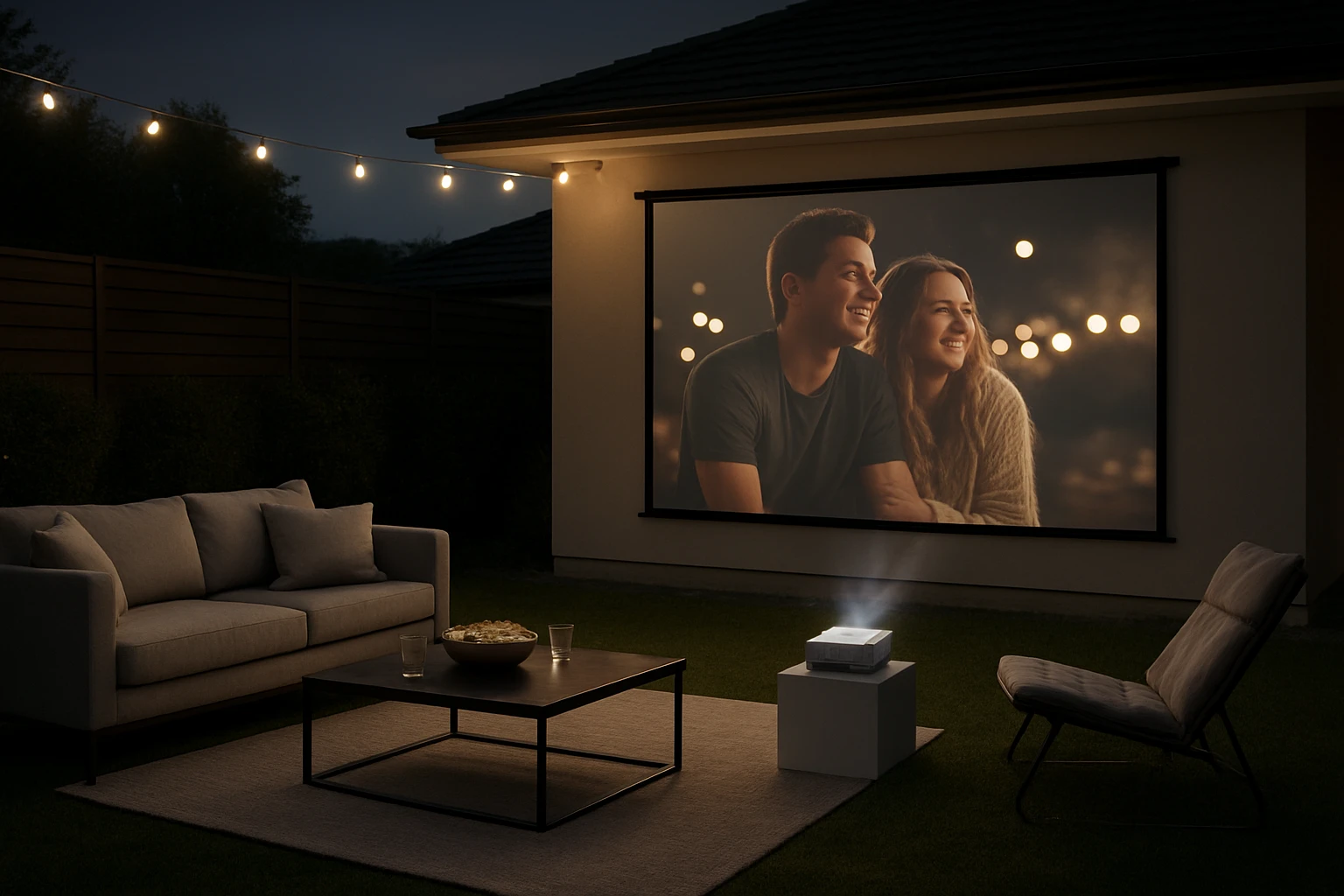
Projection Mapping Ideas for Backyard Movie Night: The Ultimate Guide to DIY Setups, Themes & Pro Tips
Introduction
Backyard movie nights have evolved from simple screen‑and‑projector setups to immersive projection‑mapping experiences that rival commercial cinemas. This guide explains the core concepts, offers step‑by‑step DIY strategies, and recommends affordable yet capable products that enable anyone to transform an outdoor space into a personal theater. Readers will learn how to select the right projector and screen, design thematic environments, and apply professional‑grade techniques without a massive budget.
By the end of this article, one will be able to plan a complete backyard projection‑mapping event, choose equipment that matches the intended scale, and avoid common pitfalls that diminish image quality or audience comfort.
Background & Context
Projection mapping, also known as video mapping, involves aligning visual content with physical surfaces to create the illusion of depth and movement. In a backyard setting, the surface is typically a screen, but creative hosts may map onto tents, trees, or custom‑built structures. Successful mapping depends on three technical pillars: resolution, brightness, and geometric flexibility. Resolution determines how sharp the image appears; brightness (measured in ANSI lumens) must overcome ambient light; and geometric flexibility—such as keystone correction and rotation—allows the projector to adapt to unconventional angles.
Modern mini projectors integrate Wi‑Fi, Bluetooth, and built‑in apps, reducing the need for external media players. Coupled with portable screens that fold or inflate, these devices enable rapid deployment and takedown, essential for seasonal or spontaneous gatherings.
Choosing the Right Projector
When selecting a projector for outdoor mapping, consider native resolution, lumen output, connectivity, and portability. Two compact models stand out for backyard use:
- DOFELLON Mini Projector – Native 1080p resolution with 580 ANSI lumens, Wi‑Fi 6, Bluetooth 5.4, and a 360° rotatable module. It supports 4K content, offers built‑in stereo speakers, and rates 4.5/5 from 29 reviews at $36.99.
- Magcubic HY300PRO Mini Projector – Native 720p resolution with 4K upscaling, 200 ANSI lumens, Wi‑Fi, Bluetooth, and a 180° rotating stand. It includes Android 11 smart apps, earns a 4.2/5 rating from 426 reviews, and costs $49.99.
The DOFELLON model delivers higher brightness, making it better for twilight or lightly lit yards, while the Magcubic unit excels in portability and built‑in streaming apps. Both support HDMI and USB sources, allowing connection to gaming consoles, streaming sticks, or laptops.
Selecting an Appropriate Screen
A high‑quality screen maximizes the projector’s capabilities. Two options complement the projectors above:
- ZUVMITG 120in Portable Screen – 120‑inch 16:9 frame with reinforced steel base, wind‑proof accessories, and 160° viewing angle. Constructed from washable milk‑silk fabric, it offers crisp 4K visuals and folds into a compact bag. Rated 4.6/5 from 218 reviews, priced at $59.49.
- XHYCPY 16ft Inflatable Screen – Inflatable frame with thick polyester surface, supporting front and rear projection, 160° viewing angle, and rapid 2‑minute inflation using an included 110 V blower. It is ideal for large‑scale gatherings and rates 4.6/5 from 2,049 reviews at $98.99.
The portable screen is perfect for moderate‑size audiences and easy transport, whereas the inflatable screen shines at community events where a 16‑foot diagonal provides a cinematic feel.
Comparison & Selection Guide
| Feature | DOFELLON Mini Projector | Magcubic HY300PRO | ZUVMITG 120in Screen | XHYCPY Inflatable Screen |
|---|---|---|---|---|
| Resolution | Native 1080p (4K support) | Native 720p (4K upscaling) | 120" (4K HD fabric) | 16ft (≈192") |
| Brightness | 580 ANSI lumens | 200 ANSI lumens | Optimized for 4K, ambient‑light tolerant | Works best in dark conditions |
| Connectivity | Wi‑Fi 6, Bluetooth 5.4, HDMI, USB | Wi‑Fi, Bluetooth, HDMI, USB, Android apps | HDMI/USB compatible devices | Standard HDMI/USB inputs |
| Portability | Compact, 360° rotatable module | Ultra‑compact, 180° stand | Fold‑flat, carries in bag | Inflates in 2 min, includes blower bag |
For a small family gathering under a patio roof, the DOFELLON projector paired with the ZUVMITG screen offers the best brightness‑to‑size ratio. For a pop‑up drive‑in at a park, the Magcubic projector and XHYCPY inflatable screen provide rapid setup and a larger viewing surface.
DIY Projection‑Mapping Themes
Once the hardware is chosen, the creative phase begins. Below are three thematic ideas that leverage mapping capabilities:
- Retro Drive‑In – Use the inflatable screen to emulate a 1950s drive‑in theater. Project a vintage marquee animation onto the screen’s rear side while playing classic films. Add string lights and a popcorn stand for authenticity.
- Star‑Gazing Night – Mount the ZUVMITG screen on a sturdy frame, then map a moving night‑sky simulation that tracks constellations in real time. Pair the DOFELLON projector’s Bluetooth speaker with a portable Bluetooth sound system for ambient music.
- Interactive Game Zone – Connect the Magcubic projector to a gaming console and map a custom UI onto a portable screen that reacts to controller inputs, creating a giant tabletop gaming experience.
Each theme benefits from the projector’s keystone correction and rotation features, allowing the image to align perfectly with irregular surfaces such as tents or tree trunks.
Best Practices & Pro Tips
Even the best equipment can underperform without proper setup. Follow these guidelines to ensure a flawless night:
- Control Ambient Light – Position the screen away from streetlights and use blackout curtains or portable canopies to reduce glare.
- Optimize Throw Distance – Both mini projectors work best at a 2–3 meter distance for a 100‑inch image. Use the projector’s focus ring and auto‑keystone to fine‑tune geometry.
- Secure Power Supply – Extend a rated outdoor extension cord with a surge protector. For the inflatable screen, keep the blower plugged in for the duration of the event.
- Audio Placement – Place Bluetooth speakers slightly behind the audience to avoid audio‑visual sync issues. The DOFELLON’s built‑in stereo speaker can serve as a backup.
- Calibration – Run a test pattern (grid or color bars) before guests arrive. Adjust brightness, contrast, and color temperature to match the outdoor environment.
- Safety First – Anchor the screen’s base with sandbags (ZUVMITG) or stakes (XHYCPY) to prevent wind‑induced movement. Ensure cables are taped down to avoid tripping hazards.
Frequently Asked Questions
- What is the minimum lumen rating for a backyard movie night?
- For twilight conditions, 500 ANSI lumens is a practical minimum; brighter environments require 800 lumens or more.
- Can I use a smartphone as the source?
- Yes. Both the DOFELLON and Magcubic projectors support Wi‑Fi casting from iOS and Android devices.
- How do I achieve rear projection with an inflatable screen?
- The XHYCPY screen’s material is translucent, allowing a projector to be placed behind the screen while the audience views from the front.
- Do I need a separate sound system?
- While the DOFELLON includes a Hi‑Fi stereo speaker, a dedicated Bluetooth speaker or portable PA system greatly improves volume and clarity for larger audiences.
- Is it safe to leave the inflatable blower on overnight?
- The blower is designed for continuous operation during the event, but it should be unplugged once the screen is deflated to avoid overheating.
- Can I map video onto irregular surfaces like a tree trunk?
- Yes, by using keystone correction and a custom mask in video‑mapping software (e.g., Resolume or TouchDesigner) you can project onto non‑flat objects.
Conclusion
Backyard movie nights no longer require a permanent home‑theater installation. By understanding resolution, brightness, and geometric flexibility, one can select a compact projector and a portable screen that together create a professional‑grade projection‑mapping experience. The thematic ideas, best‑practice checklist, and product comparisons presented here empower readers to design memorable events that delight family and friends while staying within a modest budget.
Whether one chooses the bright DOFELLON Mini Projector with the sturdy ZUVMITG screen for a cozy family gathering, or the ultra‑portable Magcubic HY300PRO paired with the XHYCPY inflatable screen for a pop‑up drive‑in, the essential steps remain the same: control ambient light, secure power, calibrate the image, and enhance audio. With these fundamentals mastered, any backyard can become a cinema under the stars.
Products Featured in This Guide
DOFELLON Mini Projector
Price: $36.99 | Rating: 4.5/5 (29 reviews)
Featured for its native 1080p resolution, 580 ANSI lumens brightness, Wi‑Fi 6, Bluetooth 5.4, and 360° rotatable module—ideal for flexible backyard setups.
Magcubic HY300PRO Mini Projector
Price: $49.99 | Rating: 4.2/5 (426 reviews)
Featured for its compact 180° rotating stand, built‑in Android apps, and affordable price, making it perfect for portable movie nights.
ZUVMITG 120in Portable Screen
Price: $59.49 | Rating: 4.6/5 (218 reviews)
Featured for its reinforced steel base, wind‑proof accessories, and premium milk‑silk fabric that delivers crisp 4K visuals on a 120‑inch surface.
XHYCPY 16ft Inflatable Screen
Price: $98.99 | Rating: 4.6/5 (2,049 reviews)
Featured for its quick‑inflation system, front/rear projection capability, and 160° viewing angle—perfect for large‑scale outdoor cinema events.