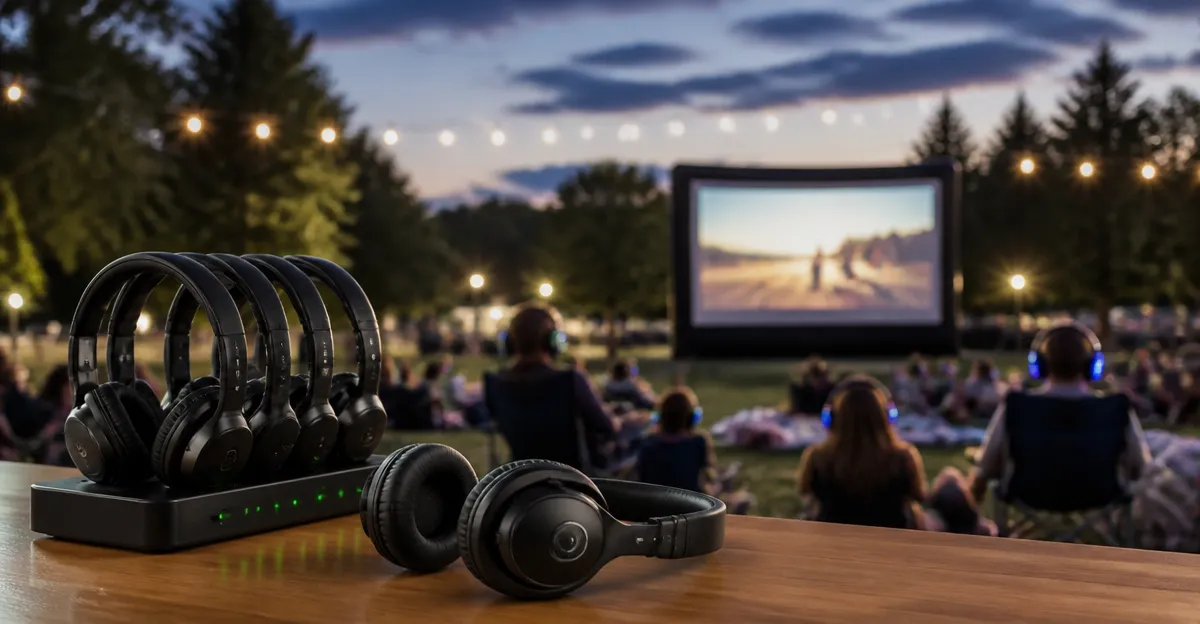
How to Sync Silent Headsets for Outdoor Movies: Step-by-Step Wireless Audio Guide
Introduction
This guide explains how to create a synchronized silent‑listening experience for outdoor movie nights. One will learn how to select appropriate wireless audio devices, configure them for simultaneous playback, and manage battery life for uninterrupted enjoyment. The process is valuable because it eliminates the need for loud speakers, reduces noise complaints, and provides each viewer with a personalized audio track. By following the steps, one can host a professional‑grade outdoor cinema without extensive technical expertise.
What You’ll Need
- Two or more pairs of Bluetooth‑enabled silent headsets (for example, Apple AirPods 4 and JBL Tune 720BT)
- A Bluetooth transmitter capable of multi‑device streaming (often built into modern smartphones or dedicated transmitters)
- A portable power source for the transmitter and any charging needs
- A screen and projector with HDMI or wireless casting capability
- Weather‑proof seating and a darkened environment
Step 1: Prepare the Viewing Area
Begin by selecting a flat, open surface that receives minimal ambient light. Set up the projector at a distance that yields a 100‑inch diagonal image, ensuring the screen is stable against wind. Connect the projector to the media source using HDMI or a reliable wireless casting protocol. Verify that the area has access to a power outlet or a high‑capacity power bank to keep the projector and transmitter operational throughout the event.
Step 2: Choose the Appropriate Silent Headsets
Select headsets that match the audience’s device ecosystem. For iPhone users, the Apple AirPods 4 provide seamless integration, personalized spatial audio, and up to 30 hours of total battery life. They are priced at $99.00 and hold a 4.6/5.0 rating from 31,872 reviews, indicating strong user satisfaction.
For Android or cross‑platform participants, the JBL Tune 720BT deliver JBL Pure Bass sound, a remarkable 76‑hour battery life, and a comfortable over‑ear design. The headphones are rated 4.6/5.0 by 14,504 reviewers, making them a reliable alternative.
Both products are dust, sweat, and water resistant, ensuring durability during outdoor conditions. The choice of headset influences the pairing method, which will be addressed in the next step.
Step 3: Pair and Sync the Headsets to a Single Source
Power on the Bluetooth transmitter and place it in pairing mode. On each headset, activate Bluetooth discovery. For the AirPods 4, open the case near the transmitter and tap Connect on the device screen; the H2 chip ensures rapid, low‑latency pairing. For the JBL Tune 720BT, press and hold the Bluetooth button until the indicator flashes, then select the transmitter from the list of available devices.
Many modern transmitters support simultaneous streaming to multiple devices. Verify that the transmitter lists both headsets as connected before proceeding. If the transmitter does not support multi‑device output, consider using a dedicated dual‑stream Bluetooth hub that can broadcast the same audio to two or more receivers without noticeable delay.
Once connected, test the audio by playing a short video clip. Adjust the volume on each headset individually to ensure comfort for all participants. The AirPods 4 feature Voice Isolation and dynamic head tracking, which enhance clarity in noisy outdoor environments. The JBL headphones include Voice Aware, allowing users to hear their own voice during calls, though this feature is less relevant for movie playback.
Step 4: Optimize Audio Settings for Synchronization
Open the audio source application and disable any built‑in audio delay compensation. Some streaming apps introduce latency to match video frames; disabling this option reduces the chance of desynchronization between headsets. If the transmitter offers an audio delay adjustment, set it to the lowest possible value.
For the AirPods 4, enable Personalized Spatial Audio through the iOS Settings menu; this creates an immersive sound field that mimics a theater environment. For the JBL Tune 720BT, download the free JBL Headphones App, select the EQ preset that best matches the movie soundtrack, and enable the “Speed Charge” indicator to monitor battery status.
Confirm that both headsets receive audio at the same moment by observing the visual cue on the transmitter or by listening for any echo. Minor differences can be corrected by slightly adjusting the transmitter’s delay slider, if available.
Step 5: Manage Power and Battery Life
Before the event begins, fully charge both sets of headsets. The AirPods 4 provide up to 5 hours of listening time on a single charge and a total of 30 hours with the charging case. The JBL Tune 720BT can operate for up to 76 hours on a full charge, and a quick 5‑minute recharge yields an additional 3 hours of playback.
Place the charging case for the AirPods 4 in a weather‑proof pouch near the transmitter, and keep a USB‑C power bank handy for the JBL headphones. Monitor battery indicators throughout the movie; the AirPods 4 feature an optical in‑ear sensor that pauses playback when removed, conserving power.
If the event exceeds the battery capacity of either device, swap the depleted headset with a fully charged spare, or use the “quick charge” feature of the JBL headphones to extend listening time without interrupting playback.
Tips & Pro Tips
- Position the Bluetooth transmitter at the center of the viewing area to ensure equal signal strength to all headsets.
- Use a short‑range, high‑bandwidth transmitter (Bluetooth 5.3 or later) to minimize latency and interference.
- For large audiences, consider a dual‑transmitter setup that splits the audience into two synchronized groups.
- Encourage viewers to keep the headsets securely in place; the AirPods 4’s redesigned contour and the JBL’s over‑ear cushions reduce accidental disconnections.
- Test the entire system at least one hour before the scheduled start time to identify any connectivity issues.
Troubleshooting
Problem: One headset experiences audio lag.
Solution: Re‑pair the lagging headset, ensure it is within the optimal range (no more than 10 meters from the transmitter), and verify that no other Bluetooth devices are causing interference.
Problem: Battery drains faster than expected.
Solution: Disable any unnecessary features such as “Find My” notifications on the AirPods 4, and lower the volume on the JBL headphones using the app to conserve power.
Conclusion
By following this guide, one can create a synchronized silent‑listening environment for outdoor movies that rivals professional cinema setups. The combination of reliable wireless headsets, a capable Bluetooth transmitter, and careful power management ensures a seamless experience for every participant. Readers are encouraged to apply these steps at their next backyard screening and enjoy the immersive audio without disturbing the neighborhood.
Products Mentioned in This Guide
Frequently Asked Questions
What kind of Bluetooth transmitter is required to sync multiple silent headsets?
You need a transmitter that supports multi‑device (dual‑link or broadcast) streaming, often built into newer phones or sold as a dedicated Bluetooth 5.0/5.2 transmitter.
How can I reduce audio latency when broadcasting to several headsets?
Choose a low‑latency (aptX‑LL or LC) transmitter, keep the devices within the recommended range, and avoid Wi‑Fi interference.
What are the best practices for battery management during an outdoor movie?
Fully charge all headsets and the transmitter beforehand, bring a portable power bank, and monitor battery levels every 30‑45 minutes.
Can I mix different headset brands (e.g., AirPods and JBL) and still keep them synchronized?
Yes, as long as each headset supports the same Bluetooth audio profile and the transmitter can broadcast to multiple devices simultaneously.
What is the typical effective range for Bluetooth syncing in an outdoor cinema setup?
Bluetooth 5.x usually maintains a stable connection up to 30‑50 feet (10‑15 m) in open air, but obstacles and interference can reduce that distance.