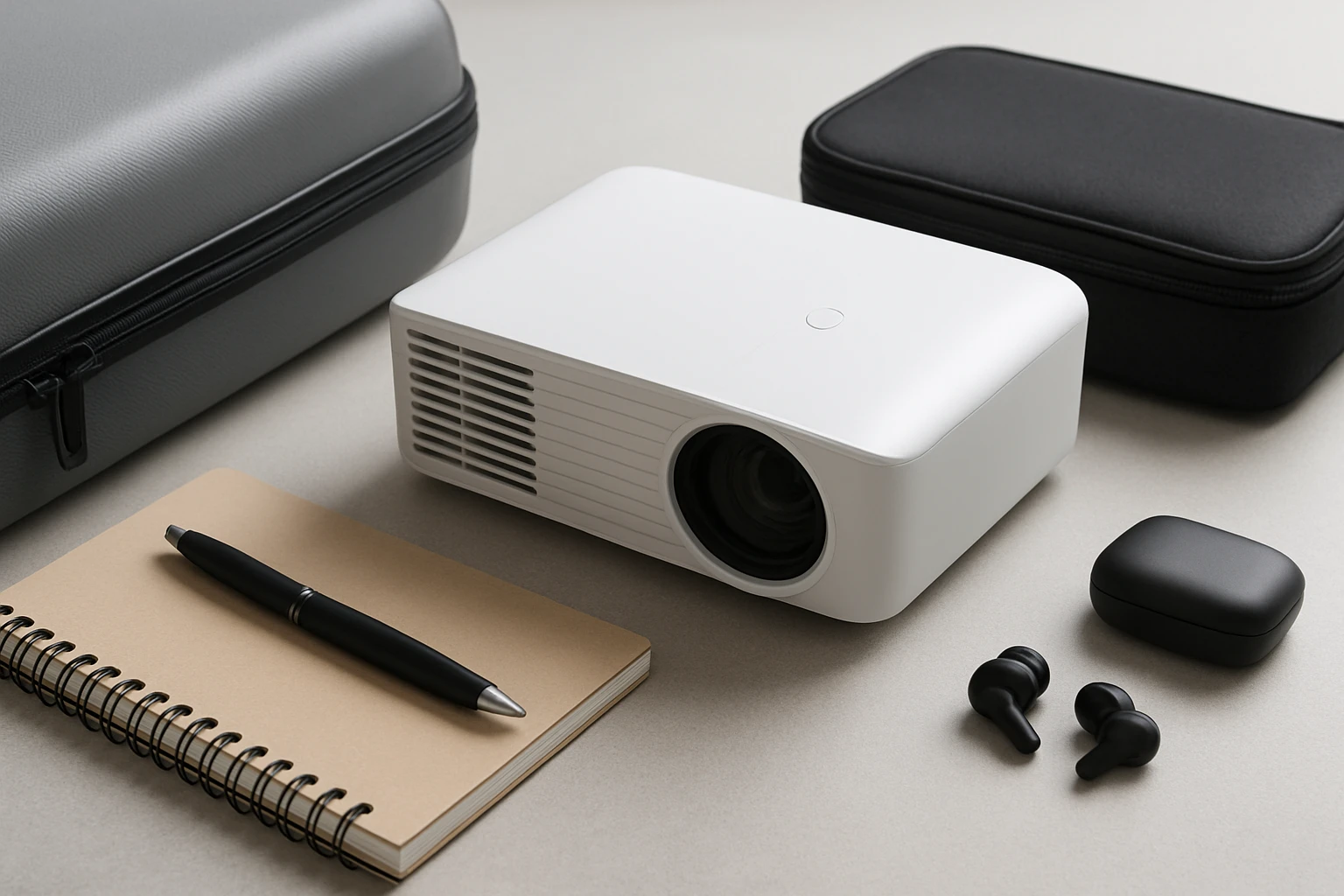
Ultimate Guide: Portable Projector Packing Checklist for Road Trips
Introduction
Road trips provide an excellent opportunity to enjoy movies, games, and presentations in unconventional settings such as campgrounds, hotel rooms, or even the back of a van. This guide explains how to select the appropriate portable projector, how to protect it during travel, and which accessories are essential for a seamless entertainment experience on the road. Readers will learn foundational concepts, compare top products, and receive actionable tips that apply whether one travels alone or with a family.
By the end of this article, the reader will possess a complete packing checklist, a clear understanding of projector specifications, and confidence in choosing a device that matches personal needs and budget.
Background and Context
Portable projectors differ from traditional home theater units in three critical ways: size, power consumption, and connectivity options. Size determines how easily the device can fit into a luggage compartment or backpack. Power consumption influences whether the projector can operate from a vehicle power outlet, a portable battery, or a standard wall socket. Connectivity options such as Wi‑Fi, Bluetooth, HDMI, and USB dictate which content sources can be used without additional adapters.
Modern portable projectors often integrate streaming platforms directly into the device, eliminating the need for external streaming sticks. This integration is especially valuable on road trips where space and power are limited. Understanding these fundamentals enables the traveler to prioritize features that matter most for a given itinerary.
Planning Your Portable Projection Setup
Before packing, assess the environments in which the projector will be used. Consider ambient light levels, available power sources, and the size of the viewing surface. For a campsite with a white sheet, a projector with high brightness (measured in ANSI lumens) is essential. In a hotel room with blackout curtains, a lower‑luminosity model may suffice.
Next, determine the primary content sources. If the traveler intends to stream directly from apps, a device with built‑in Google TV or similar smart platform is advantageous. If the traveler prefers external media such as gaming consoles, ensure the projector includes HDMI ports and supports auto‑keystone correction to simplify setup on uneven surfaces.
Finally, allocate space in the luggage for protective accessories. A hard‑shell case, microfiber cleaning cloth, and a portable power bank are items that prevent damage and maintain image quality throughout the journey.
Selecting the Right Projector
Three models dominate the portable projector market and each offers distinct strengths for road‑trip use.
- VOPLLS 4K Smart Projector – A premium option with Google TV integration, auto‑focus, and 4K input support. It is priced at $259.99 and holds a rating of 4.5 out of 5 based on 1,299 reviews.
- HAPPRUN Mini Projector – An affordable 1080p device with Bluetooth 5.1, built‑in Hi‑Fi speakers, and strong compatibility with TV sticks. It is priced at $84.96 and holds a rating of 4.4 out of 5 based on 12,952 reviews.
- YGSKK Mini Projector – A compact model featuring Wi‑Fi 6, Bluetooth 5.3, and a built‑in app store. It is priced at $73.99 and holds a rating of 4.6 out of 5 based on 1,462 reviews.
Each projector addresses different priorities. The VOPLLS model excels in integrated streaming and high‑resolution capability, making it ideal for users who desire a complete smart‑TV experience without extra hardware. The HAPPRUN model provides solid sound and easy Bluetooth pairing, suitable for travelers who value portability and quick setup. The YGSKK model offers the latest wireless standards and a versatile app ecosystem, appealing to tech‑savvy users who require stable connections in varying network environments.
Accessory Checklist for Road‑Trip Projection
The following items should be included in every portable projector packing list. They ensure the device remains protected, powered, and ready for use in diverse locations.
- Protective Carrying Case – A hard‑shell case with custom foam inserts prevents impact damage during transport.
- Power Solutions
- Vehicle 12 V DC adapter compatible with the projector’s power input.
- High‑capacity power bank (minimum 20,000 mAh) for off‑grid use.
- Connectivity Cables
- HDMI cable (minimum 6 ft) for connecting gaming consoles or streaming sticks.
- USB‑C to HDMI adapter for smartphones that lack native HDMI output.
- Audio Enhancements
- Bluetooth speaker or compact soundbar for projects that require louder bass than the built‑in speakers can provide.
- Screen Alternatives
- Light‑weight, collapsible projection screen (84 inches recommended) for indoor use.
- White sheet or blackout fabric for outdoor setups.
- Cleaning Tools
- Microfiber cleaning cloth for lens maintenance.
- Compressed air canister to remove dust from vents.
Comparison and Selection Guide
| Feature | VOPLLS 4K Smart Projector | HAPPRUN Mini Projector | YGSKK Mini Projector |
|---|---|---|---|
| Resolution | Supports 4K input, native 1080p | Native 1080p | Native 1080p, 4K compatible via HDMI |
| Brightness | HDR10, high contrast, suitable for low‑light environments | Not specified, adequate for dim rooms | 300 ANSI lumens |
| Smart Platform | Google TV with 10,000+ apps and 800+ live channels | No built‑in OS; relies on external TV sticks | Built‑in streaming apps (Netflix, Prime Video, YouTube, Hulu) |
| Audio | Dolby sound, built‑in speakers | Hi‑Fi stereo speakers, Bluetooth 5.1 for external audio | High‑fidelity stereo speakers, Bluetooth 5.3 |
| Portability | Portable body with 360° rotation, weight moderate | Mini and backpack‑friendly, lightweight | Compact, includes tripod mount |
| Price | $259.99 | $84.96 | $73.99 |
| Rating | 4.5/5 (1,299 reviews) | 4.4/5 (12,952 reviews) | 4.6/5 (1,462 reviews) |
When selecting a projector for a road trip, prioritize the features that align with the travel plan. If the itinerary includes multiple nights of streaming in hotels, the VOPLLS model reduces the need for extra streaming sticks. If the traveler values ultra‑lightweight equipment for backpacking, the HAPPRUN or YGSKK models are more suitable. The YGSKK’s Wi‑Fi 6 capability provides the most stable connection in environments with congested networks, such as campgrounds with shared internet.
Best Practices & Tips for On‑The‑Road Projection
- Charge the projector and all accessories at least two hours before the first use each day to avoid battery depletion during a movie.
- Set up the projector on a stable surface and use the auto‑keystone or manual keystone features to correct distortion caused by uneven placement.
- When projecting outdoors, choose a location with minimal ambient light and use a high‑gain screen or a white sheet to maximize image brightness.
- Utilize the built‑in voice assistant on the VOPLLS model to control playback without handling the remote, which is convenient while seated in a cramped vehicle.
- Regularly clean the lens with a microfiber cloth and use compressed air to keep vents clear, especially after trips through dusty environments.
- Store the projector in its protective case when not in use to guard against scratches and accidental impacts.
Frequently Asked Questions
- Can I use a portable projector without a Wi‑Fi connection? Yes. All three models support HDMI input, allowing you to connect a USB drive, gaming console, or offline media player.
- What is the ideal brightness for outdoor movie nights? A projector with at least 300 ANSI lumens, such as the YGSKK Mini Projector, provides sufficient brightness on a white sheet in low‑light conditions.
- Do I need a separate sound system? The built‑in speakers on the VOPLLS and HAPPRUN models are adequate for small rooms, but a Bluetooth speaker or portable soundbar greatly enhances the experience in larger or noisier environments.
- How long does the battery last on these devices? Battery life varies by model and usage. The VOPLLS relies primarily on external power sources, while the HAPPRUN and YGSKK can operate for approximately 2–3 hours on a full charge.
- Is a tripod necessary? A tripod provides stability on uneven surfaces and frees the user’s hands for remote control. It is highly recommended for camping setups where tables are unavailable.
- Can I stream Netflix directly? Both the VOPLLS and YGSKK projectors include built‑in apps for Netflix, eliminating the need for a separate streaming stick.
- What warranty coverage do these projectors have? Warranty terms differ by manufacturer; typically, a one‑year limited warranty covers defects in materials and workmanship.
Conclusion
Equipping a vehicle with a portable projector transforms long drives and campsite evenings into memorable entertainment experiences. By understanding the core specifications, selecting a device that matches the travel style, and packing the appropriate accessories, one can enjoy high‑quality video without sacrificing space or power. The VOPLLS 4K Smart Projector, HAPPRUN Mini Projector, and YGSKK Mini Projector each offer unique strengths, ensuring that every traveler can find a solution that fits budget, portability, and functionality requirements.
Follow the checklist, protect the equipment, and embrace the freedom of a mobile cinema wherever the road leads.
Products Featured in This Guide
VOPLLS 4K Smart Projector
Price: $259.99
Rating: 4.5 out of 5 (1,299 reviews)
Why featured: Provides Google TV integration, auto‑focus, and 4K input support, making it a comprehensive all‑in‑one solution for travelers who desire a smart‑TV experience without additional hardware.
HAPPRUN Mini Projector
Price: $84.96
Rating: 4.4 out of 5 (12,952 reviews)
Why featured: Offers native 1080p resolution, Bluetooth 5.1, and built‑in Hi‑Fi speakers at an affordable price, ideal for budget‑conscious travelers who still desire solid sound and easy setup.
YGSKK Mini Projector
Price: $73.99
Rating: 4.6 out of 5 (1,462 reviews)
Why featured: Features Wi‑Fi 6 and Bluetooth 5.3 for stable wireless connections, a built‑in app store, and a compact design, making it well suited for tech‑savvy travelers who need reliable connectivity on the go.