Introduction
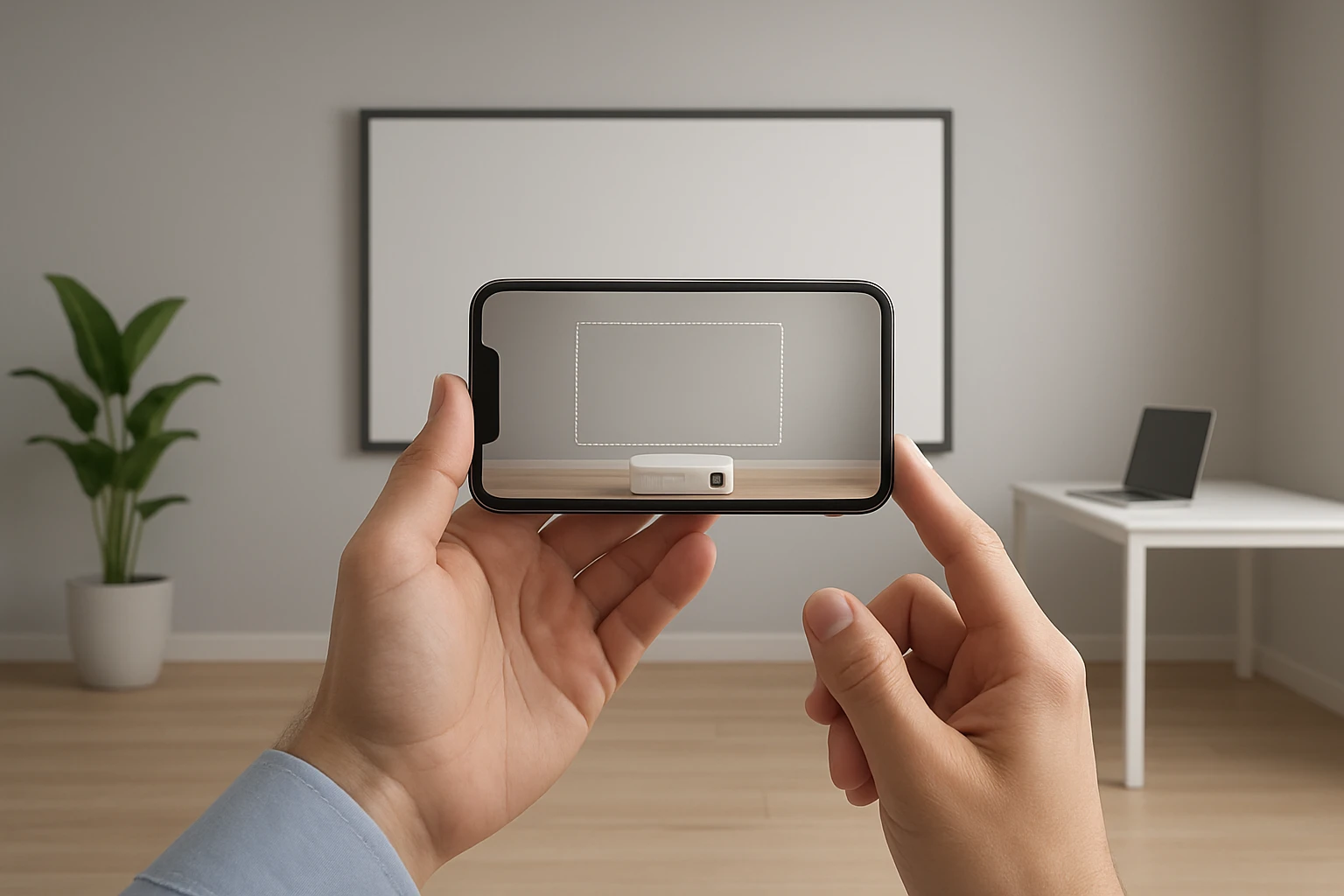
Augmented reality (AR) has transformed the way users plan home theater installations, allowing virtual visualization of projector placement and screen dimensions before any physical equipment is purchased. This guide explains the core concepts of AR‑based projector planning, outlines the strategic steps for selecting the optimal screen size, and presents product recommendations that complement the digital workflow. Readers will learn how to evaluate lighting conditions, calculate throw distance, and use AR tools to avoid costly mistakes during installation. By the end of this article, one will possess both the theoretical knowledge and practical resources needed to create an immersive viewing environment.
Background and Context
Projector technology relies on precise geometry: the distance between the projector lens and the screen, the angle of projection, and the ambient lighting all influence image quality. Traditional planning methods required manual measurements, trial‑and‑error placement, and often the purchase of multiple screens to find the right fit. Modern AR applications overlay a virtual screen onto a real‑world space using a smartphone or tablet camera, instantly showing how a given screen size will appear on a wall or outdoors. This capability reduces uncertainty, shortens setup time, and enables users to experiment with different aspect ratios and screen materials without physical trial.
In addition to visualizing size, AR apps can simulate brightness, contrast, and even the effect of ambient light by adjusting virtual parameters based on the device’s sensors. When combined with accurate product specifications—such as the dimensions of a 100‑inch or 120‑inch screen—these simulations become powerful decision‑making tools. The following sections break down the essential concepts and integrate real‑world product examples that work well with AR planning.
Key Concepts for Effective AR‑Based Planning
Understanding three foundational concepts ensures that AR visualizations translate into successful installations. First, the throw ratio of a projector determines the distance required for a specific screen width; most consumer projectors have a throw ratio between 1.2 and 2.0, meaning a 100‑inch screen may need 10 to 16 feet of space. Second, the aspect ratio (commonly 16:9 for home cinema) dictates the screen’s height relative to its width, which AR apps calculate automatically when the user selects a screen model. Third, the environmental lighting influences perceived brightness, so AR tools often include a lumen estimator that suggests whether a screen with higher gain is necessary.
When evaluating AR applications, look for features such as real‑time scaling, distance measurement tools, and the ability to import specific product dimensions. Many apps also allow users to save multiple configurations, making it easy to compare a 100‑inch screen against a 120‑inch alternative in the same room. These capabilities are essential for aligning the virtual model with the physical constraints of a living room, backyard, or conference hall.
Choosing the Right Screen Size
Screen size selection balances viewing distance, room dimensions, and content type. A widely accepted rule of thumb states that the optimal viewing distance is approximately 1.5 to 2.5 times the screen’s diagonal measurement. For a 100‑inch screen, the ideal distance ranges from 12.5 to 20.8 feet, whereas a 120‑inch screen extends that range to 15 to 25 feet. Users should measure their available space and use an AR app to overlay virtual screens, confirming that the projected image will not exceed wall boundaries or interfere with furniture.
Beyond distance, consider the screen’s material and gain. Higher‑gain fabrics reflect more light, improving brightness in well‑lit environments, while matte surfaces reduce glare for dark rooms. AR apps can simulate these characteristics by adjusting the virtual screen’s brightness level, helping users decide whether a matte polyester screen or a high‑gain vinyl material better suits their environment. The following product recommendations illustrate how specific screen features align with AR planning outcomes.
Integrating AR with Physical Screens
When an AR app confirms the ideal dimensions, the next step is to select a screen that matches those specifications. The TOWOND 100‑inch Projector Screen with Stand offers a lightweight, portable solution that pairs well with indoor and backyard setups. Its polyester milk‑silk material provides a wrinkle‑free surface, supporting both front and rear projection, which is valuable when the AR simulation includes dual‑projector arrangements. At $56.99, it delivers a 4.2‑star rating from 1,472 reviews, indicating reliable performance for budget‑conscious users.
For larger venues, the ZUVMITG 120‑inch Projector Screen with Stand combines a steel‑reinforced base with wind‑proof accessories, making it ideal for outdoor cinema nights. Its premium milk‑silk fabric yields vibrant 4K visuals, and the 160° ultra‑wide viewing angle aligns with AR‑generated field‑of‑view calculations. Priced at $69.99 and backed by a 4.5‑star rating from 240 reviewers, this screen balances durability with visual fidelity.
Users seeking a compact, travel‑friendly option may consider the Mdbebbron 120‑inch Foldable Projector Screen. Its one‑piece polyester construction folds into a small package, allowing quick deployment in conference rooms or outdoor gatherings. Despite its low price of $24.99, it maintains a 4.5‑star rating from over 35,000 reviews, demonstrating widespread satisfaction. The screen’s anti‑crease design ensures a flat surface, which AR apps can accurately represent when the user selects the “foldable” option.
Finally, the HUANYINGBJB 120‑inch Portable Projector Screen provides an adjustable, roll‑up design suitable for limited spaces. Its high reflectivity delivers vivid colors even in daylight, and the adjustable height feature allows users to fine‑tune the virtual placement suggested by AR tools. At an economical $13.29 and a solid 4.3‑star rating from 1,408 reviews, this screen is a cost‑effective choice for renters or students.
Comparison and Selection Guide
| Feature | TOWOND 100‑inch | ZUVMITG 120‑inch | Mdbebbron 120‑inch | HUANYINGBJB 120‑inch |
|---|---|---|---|---|
| Price (USD) | $56.99 | $69.99 | $24.99 | $13.29 |
| Rating | 4.2/5 (1,472 reviews) | 4.5/5 (240 reviews) | 4.5/5 (35,311 reviews) | 4.3/5 (1,408 reviews) |
| Screen Material | Polyester milk‑silk (wrinkle‑free) | Premium washable milk‑silk | Natural polyester (anti‑crease) | High‑reflectivity matte |
| Portability | Carry bag, 7.4 lb | Carry bag, reinforced steel base | Foldable, backpack‑size | Roll‑up, lightweight |
| Outdoor Stability | Sandbags, rope, ground spikes | Wind‑proof accessories, sandbags | Optional hooks, rope | Adjustable height, optional sandbags |
| Projection Types | Front & rear | Front & rear | Front only | Front & rear |
The table above highlights how each screen aligns with different user priorities. Those who value maximum stability for windy backyards should prioritize the ZUVMITG model, while travelers on a tight budget may find the Mdbebbron screen most appealing. The HUANYINGBJB screen excels in space‑constrained apartments, and the TOWOND screen offers a balanced blend of portability and dual‑projection capability.
Best Practices & Tips
- Measure the throw distance using a tape measure before launching the AR app; most apps allow manual entry of projector specifications to improve accuracy.
- When visualizing a screen, enable the app’s lighting simulation to assess whether a high‑gain material is required for daytime viewing.
- Secure outdoor screens with sandbags or ground stakes as recommended by the manufacturer; the TOWOND and ZUVMITG screens include dedicated wind‑proof accessories.
- For dual‑projector setups, ensure the screen material supports rear projection without excessive light bleed; both the TOWOND and ZUVMITG screens are designed for this purpose.
- After virtual placement, double‑check the physical clearance for cables and power outlets to avoid post‑installation surprises.
Frequently Asked Questions
- Can I use an AR app with any projector brand? Yes, most AR applications allow you to input custom throw ratios and lens shift values, making them compatible with virtually any projector model.
- Do I need a high‑end smartphone to run AR projector apps? Modern AR apps run on mid‑range devices that support ARCore or ARKit; however, a device with a good camera and sufficient processing power will deliver smoother visualizations.
- How accurate are the size estimates provided by AR? When the app’s calibration is performed correctly—by aligning a virtual grid with real‑world reference points—the size estimate is typically within a 2‑3% margin of error.
- Is it necessary to purchase a screen with a stand? A stand simplifies placement and leveling, especially for temporary setups. If you plan a permanent wall‑mount, a fixed‑frame screen may be more appropriate.
- What screen material is best for outdoor daylight use? High‑gain, matte fabrics that reflect more light while minimizing glare are optimal. The ZUVMITG screen’s premium milk‑silk offers a good balance for mixed lighting conditions.
- Can I use the same screen for both indoor movies and business presentations? Absolutely; screens with neutral color reproduction, such as the Mdbebbron polyester model, provide clear text for presentations and vivid colors for movies.
- How do I store a large screen after use? Roll‑up or foldable screens should be placed in their original carry bag, stored in a dry environment, and kept away from direct sunlight to preserve material integrity.
Conclusion
AR technology empowers users to make informed decisions about projector placement and screen size, eliminating guesswork and reducing installation costs. By understanding throw ratios, aspect ratios, and lighting considerations, one can accurately simulate a viewing environment before any purchase. The product recommendations presented—ranging from the portable TOWOND 100‑inch screen to the budget‑friendly HUANYINGBJB 120‑inch model—demonstrate how real‑world equipment can seamlessly integrate with virtual planning tools. Applying the best‑practice tips and consulting the FAQ will further ensure a successful home‑theater or outdoor cinema setup.
Products Featured in This Guide
TOWOND 100‑inch Projector Screen with Stand
Price: $56.99 | Rating: 4.2/5 (1,472 reviews)
Featured for its lightweight, portable design, wrinkle‑free polyester milk‑silk surface, and dual‑projection capability, making it ideal for AR‑validated indoor and backyard installations.
ZUVMITG 120‑inch Projector Screen with Stand
Price: $69.99 | Rating: 4.5/5 (240 reviews)
Featured for its steel‑reinforced base, wind‑proof accessories, and premium milk‑silk fabric that delivers vivid 4K visuals, perfect for outdoor AR‑planned cinema experiences.
Mdbebbron 120‑inch Foldable Projector Screen
Price: $24.99 | Rating: 4.5/5 (35,311 reviews)
Featured for its compact foldable design, anti‑crease polyester material, and affordability, providing a versatile option for AR‑validated portable and conference‑room setups.
HUANYINGBJB 120‑inch Portable Projector Screen
Price: $13.29 | Rating: 4.3/5 (1,408 reviews)
Featured for its adjustable, roll‑up design, high reflectivity, and budget‑friendly price, making it suitable for small spaces where AR planning confirms limited clearance.