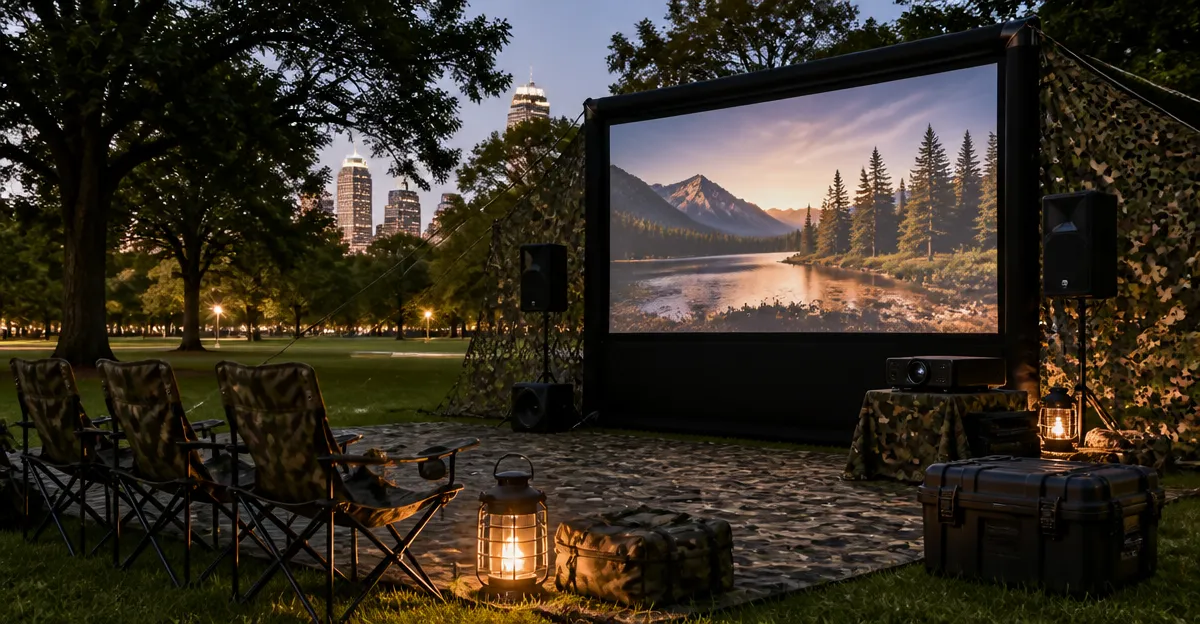
Ultimate Guide to Camouflage Portable Screen Setups for Park Screenings
Introduction
Outdoor movie nights have become a popular community activity, yet many organizers seek a discreet setup that blends with the surrounding environment. This guide explains how to design and execute camouflage portable screen installations in public parks while maintaining high visual quality and legal compliance. Readers will learn essential concepts, practical strategies, product recommendations, and actionable tips that enable successful park screenings without attracting unwanted attention.
The article is structured to provide foundational knowledge, detailed step‑by‑step instructions, a side‑by‑side product comparison, and a concise FAQ that addresses common concerns. Whether the reader is a community leader, a hobbyist filmmaker, or a corporate event planner, the information herein applies to a broad range of outdoor screening scenarios.
Background and Context
Public parks are designed for open recreation, which means that traditional cinema equipment can appear conspicuous. Camouflage techniques draw from military concealment, event staging, and landscape design to hide screens, speakers, and power sources behind natural elements such as trees, foliage, and portable structures. Understanding the physics of projection, the limitations of ambient light, and local regulations forms the basis of a successful deployment.
Projection technology has advanced to the point where bright, high‑resolution images can be displayed on modestly sized screens even in daylight. Modern projectors integrate Wi‑Fi, Bluetooth, and auto‑focus capabilities, reducing the need for auxiliary devices and simplifying the setup process. These features are especially valuable when the installation must be assembled quickly and dismantled without leaving a trace.
In addition to visual performance, audio delivery, power management, and weather protection are critical factors. A well‑concealed screen loses its impact if the sound is inaudible or if the equipment fails due to rain. Therefore, the guide treats each subsystem as an interdependent component of the overall camouflage strategy.
Key Considerations for Camouflaged Screen Setups
Choosing a Camouflage Screen
The screen itself should blend with the park’s natural palette while providing sufficient gain to reflect projected light toward the audience. Matte white blackout fabric is a common choice because it can be draped over a portable frame and painted or printed with foliage patterns that mimic tree bark or shrubbery. When the screen is folded, the pattern hides the rectangular shape, making it appear as a regular park bench cover or a decorative tarp.
Screen size must balance visibility with transportability. A 100‑inch diagonal screen offers a cinematic experience for a small gathering, whereas a 150‑inch screen accommodates larger crowds but requires a sturdier frame and more robust projection brightness.
Selecting a Portable Projector
Brightness, resolution, and connectivity determine how well a projector performs in an outdoor setting. Three models stand out for their combination of high lumens, 4K decoding, and built‑in smart platforms.
First, the Pemoon Smart 4K Projector offers 3000 ANSI lumens, native 1080p resolution with 4K decoding, and integrated Google TV with voice control. Its AI‑powered auto‑focus and keystone correction enable rapid deployment on uneven terrain, while Wi‑Fi 6 and Bluetooth 5.2 ensure stable streaming and wireless audio.
Second, the AuKing 4K Smart Projector provides a remarkable 4600 ANSI lumens, HDR10+, and a 99.8% wide color gamut. The built‑in Linux OS eliminates bloatware, and the TOF autofocus system locks focus in 0.2 seconds, which is valuable when the projector is mounted on a portable tripod that may shift during transport.
Third, the TOPTRO 4K Smart Projector delivers 920 ISO ANSI lumens, HDR10, and a dual‑cavity 2 × 20 W speaker system with Dolby Audio certification. Its VIDAA operating system offers fast, ad‑free navigation and native AirPlay 2 integration, allowing iOS users to cast without additional apps.
All three devices receive five‑star ratings from verified purchasers, indicating reliable performance in real‑world scenarios. The selection among them should be guided by brightness requirements, preferred smart platform, and budget constraints.
Power and Battery Solutions
Portable power stations with pure sine wave output provide clean electricity for projectors, speakers, and lighting. A 500 Wh lithium‑ion power bank can sustain a 3000‑lumens projector for up to three hours, while a larger 1500 Wh unit supports longer events and multiple audio devices. Solar panels can be incorporated for daytime charging, but organizers must account for weather variability.
When using battery‑powered projectors, verify that the device supports DC input and that the power station includes the appropriate voltage adapters. Some models, such as the AuKing projector, feature a universal power input that accepts 100‑240 V AC, simplifying compatibility with international power stations.
Audio Delivery and Concealment
Clear audio is essential for audience engagement. Compact Bluetooth speakers can be hidden within tree trunks or under camouflage nets, while still delivering full‑range sound. The TOPTRO projector’s built‑in 2 × 20 W Dolby speakers may suffice for small gatherings, but larger audiences benefit from external speakers paired via Bluetooth 5.4 for low latency.
To avoid visual clutter, route speaker cables through foliage or use wireless audio transmitters. When multiple speakers are required, create a distributed sound field by placing identical units at equal intervals around the screen, ensuring balanced coverage without a single focal point.
Weather Protection and Lighting
Even light rain can damage projector optics. A portable canopy made from waterproof, UV‑resistant fabric shields equipment while maintaining a low profile. The canopy’s frame can be painted to match surrounding trees, further reducing visibility.
Ambient lighting must be controlled to preserve contrast. Portable LED floodlights equipped with dimming controls can be positioned behind the screen to illuminate the audience without spilling onto the projection surface. Use gobos or barn doors to shape the light beam and prevent glare.
Legal and Safety Issues
Before organizing a park screening, obtain any required permits from local authorities. Many municipalities allow temporary events in designated areas provided that noise levels remain within statutory limits and that the setup does not obstruct pathways.
Safety considerations include fire‑retardant materials for screens and canopies, secure anchoring of tripods to prevent tipping, and clear egress routes for emergency personnel. A brief risk assessment checklist should be completed on the day of the event.
Comparison and Selection Guide
| Feature | Pemoon Smart 4K Projector | AuKing 4K Smart Projector | TOPTRO 4K Smart Projector |
|---|---|---|---|
| Brightness (ANSI Lumens) | 3000 | 4600 | 920 ISO |
| Resolution | Native 1080p, 4K decoding | Native 1080p, 4K decoding | Native 1080p, 4K decoding |
| Smart Platform | Google TV with voice assistant | Linux OS (Android‑free) | VIDAA OS with AirPlay 2 |
| Audio | Bluetooth 5.2, external speakers | Dolby Audio, Bluetooth 5.2 | 2×20 W Dolby speakers, Bluetooth 5.4 |
| Auto‑Focus | AI‑powered, keystone correction | TOF laser autofocus (0.2 s) | AI autofocus, digital zoom |
| Connectivity | Wi‑Fi 6, Bluetooth 5.2, screen mirroring | Wi‑Fi 6, Bluetooth 5.2, AirPlay, Miracast | Wi‑Fi 6, Bluetooth 5.4, AirPlay 2, HDMI ARC |
| Price (USD) | 329.99 | 249.99 | 599.99 |
| Rating (5‑star scale) | 5.0 (45 reviews) | 5.0 (39 reviews) | 5.0 (153 reviews) |
Organizers who prioritize maximum brightness for daytime screenings should consider the AuKing projector. Those who value seamless integration with Google services and rapid auto‑focus may prefer the Pemoon model. The TOPTRO projector excels in audio performance and Apple ecosystem compatibility, making it ideal for iOS‑centric audiences.
Best Practices & Tips
- Conduct a site survey at least 48 hours before the event to identify natural camouflage opportunities such as dense shrubbery or rock formations.
- Test the projector’s auto‑focus and keystone features on the actual screen frame to ensure a rectangular image without manual adjustments.
- Use magnetic auto‑lens covers (available on the Pemoon projector) to protect optics from dust and pet hair during transport.
- Position the power station behind a natural barrier and conceal cables with rope or camouflage netting to avoid tripping hazards.
- Schedule screenings after sunset whenever possible; if daylight operation is required, increase screen gain and use a projector with at least 4000 ANSI lumens.
- Employ a silent fan or low‑noise cooling system to prevent audio interference, especially when using built‑in speakers.
- Document the setup with photos for future reference and to streamline repeat installations.
Frequently Asked Questions
- Can I use a regular TV instead of a projector for a park screening?
- While a television provides bright images, its limited size and need for a power outlet make it unsuitable for most outdoor gatherings. Projectors offer larger image dimensions and can be powered by portable batteries.
- How far should the projector be from the screen?
- The throw distance depends on the projector’s lens ratio; most portable models recommend 2–3 meters for a 100‑inch screen. Consult the manufacturer’s specifications for optimal placement.
- Is Wi‑Fi 6 necessary for streaming outdoor?
- Wi‑Fi 6 improves signal stability and reduces latency, especially in crowded environments with multiple devices. It is beneficial but not mandatory if a wired HDMI source is available.
- What legal permits are typically required?
- Many municipalities require a temporary event permit, a noise variance, and proof of liability insurance. Contact the local parks department to confirm requirements.
- How can I protect the projector from rain?
- Use a waterproof canopy with sealed seams, and ensure the projector’s ventilation openings are covered by breathable yet water‑resistant material. The magnetic auto‑lens cover on the Pemoon projector adds an extra layer of protection.
- Do I need a separate sound system?
- For audiences of fewer than 30 people, the built‑in speakers of the TOPTRO projector may suffice. Larger groups benefit from external Bluetooth speakers or a portable PA system.
Conclusion
Camouflaged portable screen setups enable community groups to host memorable movie nights in parks without disrupting the natural aesthetic. By selecting a suitable screen, employing a high‑lumens projector such as the Pemoon, AuKing, or TOPTRO models, and adhering to power, audio, and legal best practices, organizers can deliver a cinematic experience that feels both immersive and unobtrusive. The strategies outlined in this guide provide a repeatable framework for future events, ensuring that each screening is safe, compliant, and visually impressive.
Products Featured in This Guide
Pemoon Smart 4K Projector
Price: $329.99 | Rating: 5.0 / 5 (45 reviews)
Featured for its 3000 ANSI lumens, AI‑powered auto‑focus, Google TV integration, and magnetic auto‑lens cover that protects optics during outdoor use.
AuKing 4K Smart Projector
Price: $249.99 | Rating: 5.0 / 5 (39 reviews)
Featured for its industry‑leading 4600 ANSI lumens, HDR10+, TOF laser autofocus, and Linux OS that eliminates bloatware, making it ideal for bright‑day park screenings.
TOPTRO 4K Smart Projector
Price: $599.99 | Rating: 5.0 / 5 (153 reviews)
Featured for its 920 ISO ANSI brightness, dual 20 W Dolby speakers, VIDAA OS with AirPlay 2, and Bluetooth 5.4, delivering a complete audio‑visual solution for iOS‑centric audiences.