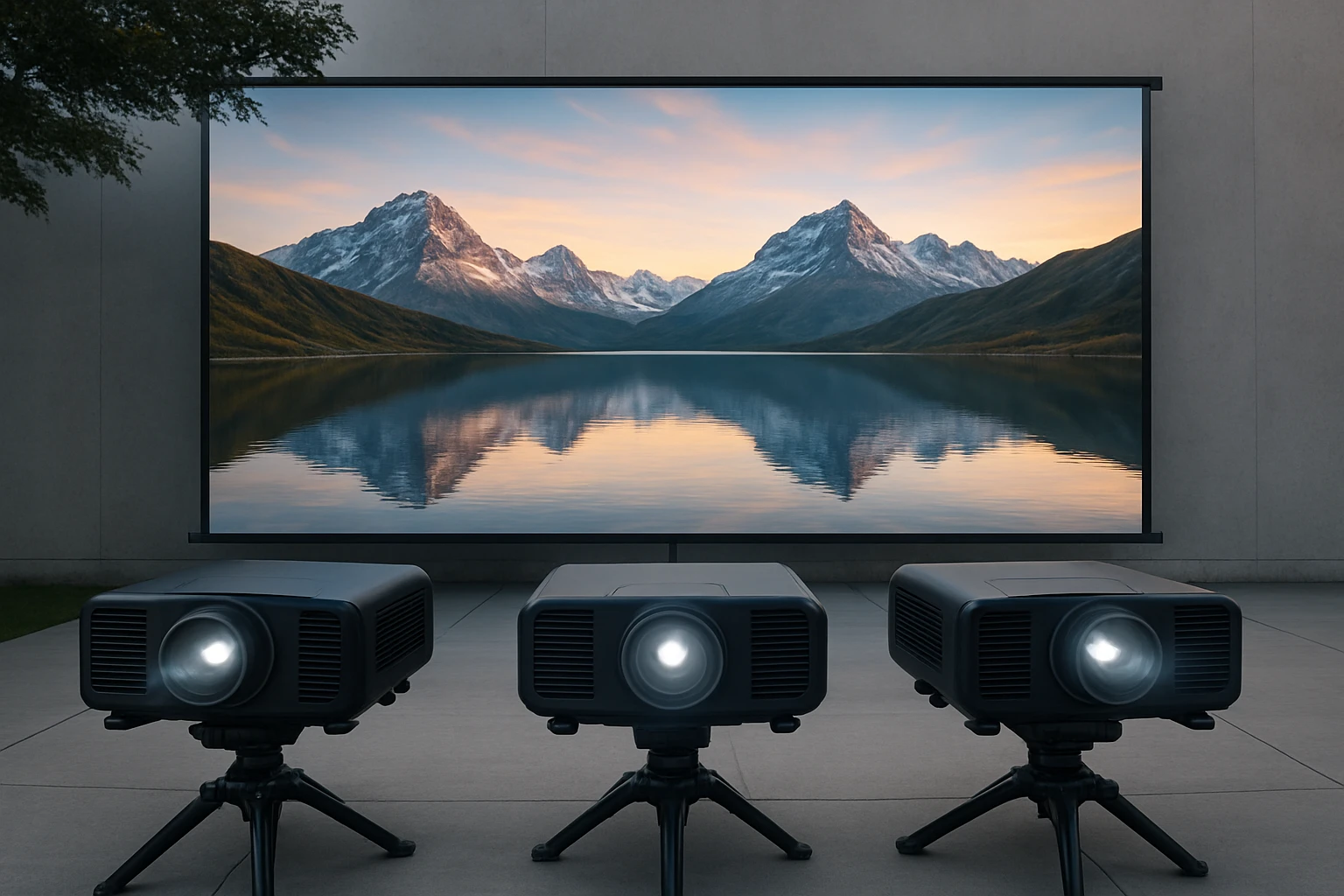
Ultimate Guide to Synchronized Multi-Projector Outdoor Setup: Step‑by‑Step Calibration, Alignment & Best Practices
Introduction
Outdoor visual displays have evolved from single‑screen projections to immersive multi‑projector installations. This guide explains the complete workflow for synchronizing several projectors in an outdoor environment, from initial planning to final fine‑tuning. Readers will learn how to select appropriate hardware, perform geometric alignment, balance colour and brightness, and avoid common pitfalls that compromise image quality. By the end of the article, one will possess a clear roadmap for creating a seamless, large‑scale projection experience.
Background and Context
Multi‑projector setups rely on the principle of edge‑blending, where overlapping images are merged to form a single, larger picture. The process demands precise geometric correction, colour matching, and timing synchronization. Modern projectors incorporate built‑in keystone correction, lens shift and wireless networking, which simplify the workflow but do not eliminate the need for manual calibration. Understanding concepts such as ANSI lumens, contrast ratio, and colour gamut is essential before selecting equipment.
Outdoor environments introduce additional variables, including ambient light, temperature fluctuations and power availability. Selecting projectors with high brightness, robust weather resistance and flexible power options mitigates these challenges. The products featured in this guide exemplify the balance between performance and portability required for outdoor events.
Planning Your Multi‑Projector Installation
The first phase of any installation involves mapping the projection surface, determining the number of units required, and establishing a power and network layout. Measure the width and height of the desired image, then calculate the total pixel count needed for acceptable sharpness. For example, a 300‑inch diagonal display at 1080p resolution typically requires at least two 1080p projectors side by side.
When planning cable runs, consider using HDMI over Ethernet (HDBaseT) or wireless HDMI solutions to reduce clutter. Ensure that each projector receives a stable power source; portable units that support USB‑C Power Delivery, such as the Aurzen D1 Portable Projector, can be powered by high‑capacity power banks, simplifying deployment in remote locations.
Network synchronization is critical for frame‑accurate playback. Most modern projectors support Wi‑Fi 6, which provides low‑latency streaming and reduces buffering. The HAPPRUN 4K Projector includes Wi‑Fi 6 and built‑in Google TV, allowing each unit to receive the same stream directly from the internet, eliminating the need for a separate media server.
Hardware Selection and Product Recommendations
Choosing the right projector for a synchronized outdoor setup depends on three primary criteria: brightness, resolution and audio capability. The following products have been selected because they excel in at least one of these areas while offering convenient connectivity options.
- HAPPRUN 4K Projector – Provides 400 ANSI lumens, native 4K support, Dolby sound, Wi‑Fi 6 and Bluetooth 5.2. Its built‑in Google TV reduces the need for external streaming devices, which is advantageous when multiple units must be managed simultaneously. Rating: 4.4/5 from 677 reviews; price $269.95.
- Lisowod Outdoor 4K Projector – Features a quad‑core A55 processor, AI‑driven auto‑calibration, 50 W Dolby speakers and HDR10+. Its high contrast ratio (25 000:1) and 99 % NTSC colour gamut make it suitable for bright outdoor venues. Rating: 4.7/5 from 835 reviews; price $432.99.
- Aurzen D1 Portable Projector – Offers USB‑C PD power (65 W+), TOF auto‑focus, 16 W Dolby audio and native 1080p HDR10. Its lightweight design and battery‑friendly power make it ideal for temporary setups where power outlets are scarce. Rating: 4.9/5 from 66 reviews; price $139.99.
- TMY Mini Projector – An economical 1080p unit with Wi‑Fi 6, Bluetooth 5.2 and built‑in Netflix/YouTube apps. While its brightness is lower than premium models, it provides excellent value for smaller outdoor gatherings. Rating: 4.4/5 from 407 reviews; price $99.98.
Each of these projectors supports HDMI and USB inputs, allowing them to be integrated into a common playback chain. For large installations, it is advisable to pair a high‑brightness primary projector (such as the Lisowod) with one or two auxiliary units (such as the HAPPRUN or Aurzen) to fill gaps and improve uniformity.
Step‑by‑Step Calibration Process
After hardware placement, the calibration workflow can be divided into four stages: geometric alignment, colour matching, brightness balancing and synchronization.
- Geometric Alignment – Position each projector at the recommended throw distance, then enable the built‑in keystone correction. For the Lisowod, use the AI Auto‑Calibration feature to automatically correct 6‑D keystone and focus. For models lacking AI, manually adjust vertical and horizontal keystone until the projected grid aligns with the physical screen edges.
- Edge Blending – Overlap the adjacent images by 10‑15 % to create a smooth transition. Most projectors provide a blending mode in the settings menu; set the blend intensity to a low value and increase gradually while observing a test pattern.
- Colour Matching – Use a colour calibration disc (such as the X‑Rite ColorChecker) and display the grayscale and colour patches on each projector. Adjust the colour temperature, gamma and saturation until the patches appear identical across units. The HAPPRUN and Lisowod both allow fine‑grained colour adjustments via their on‑screen menus.
- Brightness Balancing – Measure the peak luminance of each projector with a handheld light meter. Reduce the brightness of the stronger unit or increase the gain of the screen until the luminance values converge within a 5 % tolerance.
Finally, synchronize playback using a media server that supports NDI or HDMI‑over‑IP. Many users find the open‑source software VLC with the wall module sufficient for simple setups, while professional events may require dedicated hardware such as the Datapath Fx4.
Comparison and Selection Guide
When choosing a projector for a synchronized outdoor installation, consider the following decision matrix. The table highlights how each featured product performs against key criteria.
| Criterion | HAPPRUN 4K | Lisowod Outdoor 4K | Aurzen D1 Portable | TMY Mini |
|---|---|---|---|---|
| Resolution | Native 4K (upscaled) | Native 1080p with 4K decoding | Native 1080p HDR10 | Native 1080p |
| Brightness (ANSI lumens) | 400 | Not specified (high‑gain) | Not specified (suitable for dim settings) | Not specified (best for low‑light) |
| Audio | 5 W speaker with Dolby | Dual 50 W Dolby speakers | 16 W Dolby (2 × 8 W) | Standard built‑in speaker |
| Connectivity | Wi‑Fi 6, Bluetooth 5.2, HDMI, USB | Wi‑Fi 6, Bluetooth 5.2, HDMI, USB | Wi‑Fi, Bluetooth, USB‑C PD, HDMI | Wi‑Fi 6, Bluetooth 5.2, HDMI, USB |
| Portability | Compact backpack‑size | Portable but larger chassis | Lightweight with USB‑C power | Small and lightweight |
| Price | $269.95 | $432.99 | $139.99 | $99.98 |
| Average Rating | 4.4/5 (677 reviews) | 4.7/5 (835 reviews) | 4.9/5 (66 reviews) | 4.4/5 (407 reviews) |
For high‑visibility outdoor festivals, the Lisowod’s powerful speakers and AI auto‑calibration justify its higher price. For budget‑friendly backyard cinema, the TMY Mini or Aurzen D1 provide sufficient performance while keeping costs low.
Best Practices & Tips
Beyond equipment selection, the following practices ensure a reliable and visually impressive multi‑projector deployment.
- Conduct a site survey at the intended time of day to measure ambient light levels. Use a neutral‑density filter on the projector if necessary.
- Mount projectors on sturdy tripods or ceiling rigs with vibration dampening pads. Even minor movement can disrupt edge‑blending.
- Run all firmware updates before the event. Manufacturers frequently release patches that improve Wi‑Fi stability and colour accuracy.
- Utilise a dedicated 5 GHz Wi‑Fi network for the projectors and a separate 2.4 GHz network for audience devices. This segregation reduces interference.
- Maintain consistent cooling airflow. Outdoor temperatures can cause overheating; consider shaded enclosures or supplemental fans.
- Document every setting (keystone angles, blend percentages, colour profiles) in a spreadsheet. This record simplifies future re‑configurations.
When multiple projectors share a single audio source, route the audio through a mixer before sending it to each unit’s Bluetooth or wired input. This approach prevents echo and ensures uniform volume across the listening area.
Frequently Asked Questions
- Can I use different projector models in the same installation? Yes, as long as they support the same resolution and can be calibrated to match colour and brightness. The AI Auto‑Calibration of the Lisowod simplifies mixing with other brands.
- Is Wi‑Fi 6 necessary for outdoor setups? Wi‑Fi 6 provides higher throughput and lower latency, which reduces buffering when streaming high‑resolution content. Both the HAPPRUN and Lisowod include this technology, making them ideal for stable outdoor streaming.
- How far can I place the projectors from the screen? Throw distance depends on lens specifications; most portable units operate effectively between 2 and 5 meters. Consult each product’s manual for exact ratios.
- Do I need an external media player? Not for models with built‑in smart platforms. The HAPPRUN and TMY Mini include official Netflix, Prime Video and YouTube apps, allowing direct streaming without additional sticks.
- What power options are available for remote locations? The Aurzen D1 supports USB‑C Power Delivery up to 65 W, enabling the use of high‑capacity power banks. The HAPPRUN and Lisowod rely on standard AC adapters, but portable generators or solar inverters can be employed.
- How do I prevent image distortion on uneven terrain? Use the auto‑focus and auto‑keystone features where available, and place the projector on a level platform. For permanent installations, consider a motorized lens shift mechanism.
- Is it possible to control multiple projectors with a single remote? Many brands support HDMI‑CEC or proprietary apps that synchronize power and input selection. Verify compatibility before purchase.
Conclusion
Synchronizing multiple projectors for outdoor use demands careful planning, precise calibration and reliable hardware. By understanding the fundamentals of edge‑blending, colour matching and network synchronization, one can create a cinematic experience that rivals indoor theatres. The featured products—HAPPRUN 4K Projector, Lisowod Outdoor 4K Projector, Aurzen D1 Portable Projector and TMY Mini Projector—provide a spectrum of options that cater to different budgets and performance requirements. Applying the best‑practice checklist ensures consistent image quality, robust connectivity and hassle‑free operation, allowing event organizers to focus on content rather than technical obstacles.
Products Featured in This Guide
HAPPRUN 4K Projector
Price: $269.95 | Rating: 4.4/5 (677 reviews)
Featured for its 4K resolution, 400 ANSI lumens brightness, built‑in Google TV and Wi‑Fi 6, making it a versatile core unit for synchronized outdoor displays.
Lisowod Outdoor 4K Projector
Price: $432.99 | Rating: 4.7/5 (835 reviews)
Featured for its AI‑driven auto‑calibration, 50 W Dolby audio and HDR10+ support, delivering cinema‑grade performance in bright outdoor venues.
Aurzen D1 Portable Projector
Price: $139.99 | Rating: 4.9/5 (66 reviews)
Featured for its USB‑C Power Delivery, TOF auto‑focus and compact design, ideal for mobile or temporary outdoor setups where power outlets are limited.
TMY Mini Projector
Price: $99.98 | Rating: 4.4/5 (407 reviews)
Featured for its affordability, built‑in streaming apps and Wi‑Fi 6 connectivity, making it a cost‑effective choice for small‑scale outdoor gatherings.