
Introduction
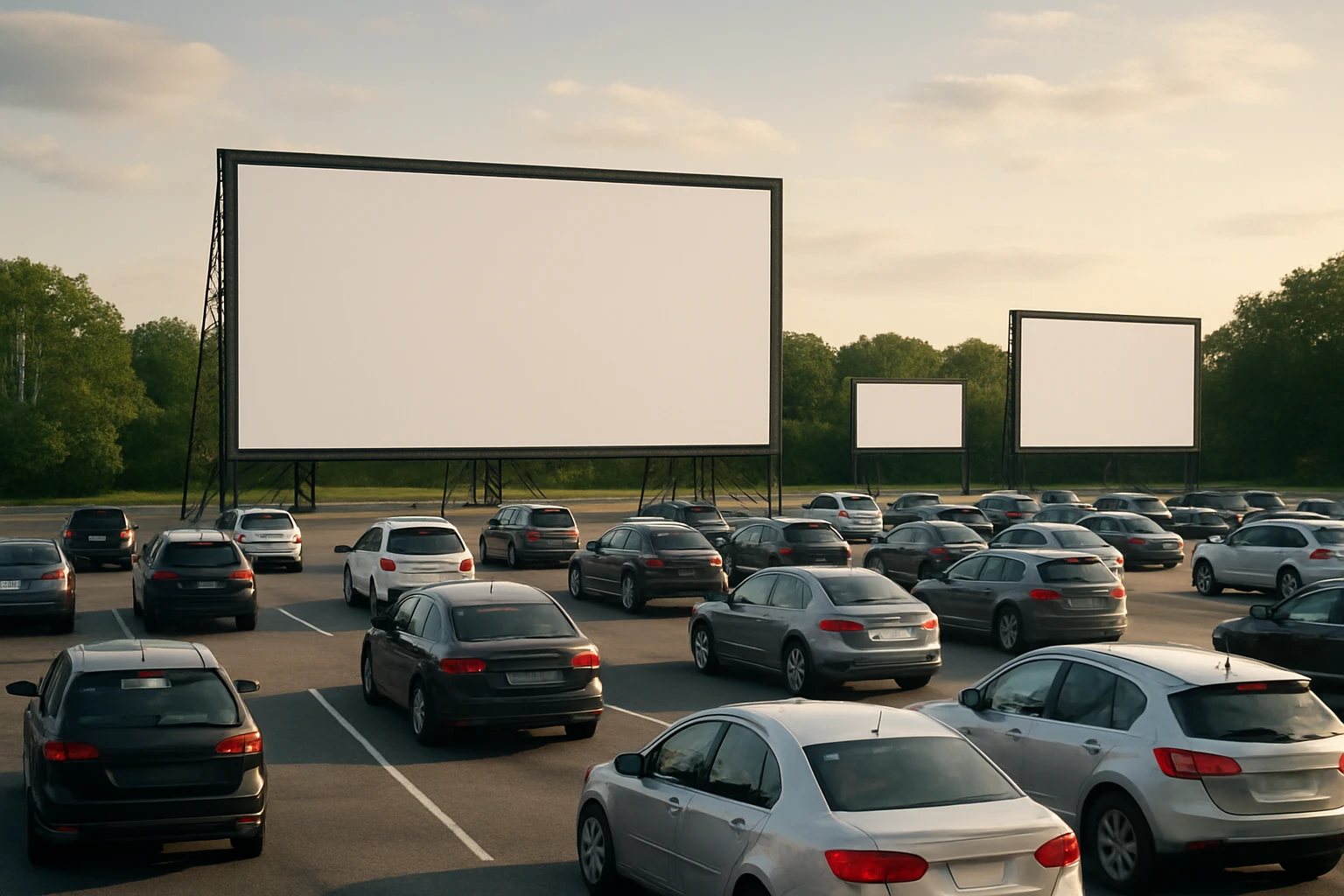
One will discover how to transform a ordinary driveway into a cinematic venue capable of displaying multiple movies simultaneously. This guide explains each phase of the project, from site selection to final calibration, and highlights why a well‑planned setup enhances image quality, sound distribution, and audience comfort. The reader will also learn how to leverage specific tools that simplify installation while maintaining professional results. By following the instructions, one can host an epic outdoor movie night that rivals commercial drive‑in theaters.
What You’ll Need
- Pyle Portable Projector Screen – 60‑inch roll‑up screen with tripod stand, $87.99, 4.3‑star rating (164 reviews)
- JBL Charge 6 Speaker – Waterproof Bluetooth speaker with 28‑hour playtime, $149.95, 4.7‑star rating (5,038 reviews)
- Two HD projectors with HDMI inputs (minimum 1080p resolution)
- Extension cords and outdoor‑rated power strips
- Cable management clips or zip ties
- Portable generator or dedicated circuit for reliable power
- Ground stakes or weighted sandbags for screen stability
- White or dark‑colored blankets for ambient light control
- Seating options such as lawn chairs, blankets, or car‑side cushions
Step 1: Choose a Suitable Location
The first task is to identify a flat surface that can accommodate at least two screens and provide clear sightlines for each viewing zone. One should measure the driveway length and width, ensuring a minimum of 12 feet between screens to avoid image overlap. The chosen spot must have access to electricity, either from a garage outlet or a portable generator placed at a safe distance from the projection area. It is advisable to test the ambient light conditions after sunset; a location shaded by trees or a fence will reduce glare and improve contrast.
When the site is selected, one can mark the screen positions with chalk or removable tape. This visual guide assists during the subsequent screen assembly and projector placement phases. The layout should also consider traffic flow for vehicles that will park during the event, leaving sufficient space for safe ingress and egress.
Step 2: Set Up Power and Audio Infrastructure
A reliable power source is essential for both projectors and audio equipment. One should connect the generators or household circuits to outdoor‑rated power strips, then route extension cords along the driveway using cable management clips to prevent tripping hazards. All connections must be protected by surge protectors, especially in regions prone to lightning.
For audio distribution, the JBL Charge 6 Speaker serves as a versatile solution. Its waterproof, drop‑proof construction (IP68 rating) ensures durability in outdoor environments, while the built‑in powerbank can recharge mobile devices during the event. The speaker delivers rich bass and crisp highs thanks to AI Sound Boost technology, providing clear audio across multiple viewing zones. With a 28‑hour battery life, it can power the entire evening without interruption, and its removable strap allows placement on a tripod or a sturdy table for optimal sound projection.
One should position the speaker centrally, or use multiple units if the driveway exceeds 30 feet in length. The Auracast feature enables wireless stereo pairing, creating a wider soundstage that fills the entire area without the need for extensive wiring.
Step 3: Assemble the Projection Screens
The Pyle Portable Projector Screen is designed for rapid deployment and offers a matte viewing surface that minimizes light penetration. Its black masking borders improve focus and alignment, ensuring that each image remains sharp even when ambient light is present. The screen’s adjustable tripod stand extends from 50 to 83.46 inches, allowing customization of height to match projector throw distance.
To assemble, one should unfold the tripod legs, secure them with the provided screws, and extend the screen to the desired height. The roll‑up mechanism enables quick retraction for storage or for repositioning between screenings. Ground stakes or weighted sandbags should be attached to the base of the tripod to prevent wobble caused by wind.
Because the screen fabric is thick and includes a full black backing, it delivers vivid colors and reduces color cast, which is crucial when projecting outdoor movies that may otherwise appear washed out. The screen’s portability permits relocation to alternative spots for future events, making it a cost‑effective investment.
Step 4: Position and Calibrate the Projectors
Projectors must be placed at a distance that matches the screen’s native aspect ratio of 16:9. One should calculate the throw distance using the projector’s specifications, then position the units on stable tripods or on a low table behind the audience. Align the projector lens with the center of the screen, and use keystone correction to eliminate distortion.
After physical placement, adjust focus and brightness settings to compensate for outdoor lighting conditions. If multiple projectors are used, ensure that each image is synchronized by connecting them to a single media source via HDMI splitters or a multi‑output video processor. This prevents timing discrepancies that could disrupt the viewing experience.
It is advisable to perform a test run at least one hour before the scheduled start time. Play a short video clip on each screen, walk the viewing area, and verify that the image remains sharp from the front row to the back of the driveway.
Step 5: Arrange Seating and Safety Measures
Comfortable seating enhances audience enjoyment. One can provide lawn chairs, blankets, or encourage guests to park their vehicles facing the screens. Clear signage should indicate designated parking spots, fire‑extinguishing equipment, and exit routes. If the event extends into the night, low‑intensity LED pathway lights help guide attendees without interfering with the projected images.
To protect equipment from accidental damage, one should place protective mats under the projector bases and speaker stands. Additionally, keep a small toolbox with screwdrivers, spare bolts, and a multitool on hand for quick adjustments.
Finally, enforce a no‑smoking policy near the screens and speakers, as the heat generated by projectors can ignite flammable materials.
Tips & Pro Tips
- Schedule the movie start time at least 30 minutes after sunset to allow the projector’s lamp to reach optimal brightness.
- Use dark‑colored blankets or portable blackout curtains on surrounding fences to further reduce stray light.
- If the driveway is longer than 40 feet, consider adding a second Pyle Portable Projector Screen to create a true multi‑screen experience.
- Synchronize audio by connecting the JBL Charge 6 Speaker to the same Bluetooth source as the video playback device, ensuring that sound and picture remain in lockstep.
- Carry spare batteries for the speaker and a portable power bank for mobile devices to keep guests connected.
- Test the Wi‑Fi signal strength if streaming movies; a dedicated hotspot can prevent buffering during critical scenes.
Troubleshooting
Problem: Image appears dim or washed out.
Solution: Verify that the screen is fully extended and that the black backing is not folded. Increase projector brightness and reduce ambient light by adding additional blackout material.
Problem: Audio cuts out intermittently.
Solution: Ensure the JBL Charge 6 Speaker is fully charged and within the Bluetooth range of the source device. If the issue persists, switch to a wired auxiliary connection using the speaker’s 3.5 mm input.
Problem: Screens wobble in wind.
Solution: Anchor the tripod base with sandbags or ground stakes, and position the screens behind natural windbreaks such as hedges or fences.
Conclusion
One now possesses a comprehensive roadmap for constructing a multi‑screen driveway drive‑in that delivers cinematic quality in an outdoor setting. By following each step, selecting appropriate tools, and applying the pro tips, the event will run smoothly and provide a memorable experience for all participants. The guide encourages experimentation with different movies, themes, and seating arrangements, fostering a tradition of community entertainment that can be repeated throughout the year.
Products Mentioned in This Guide
Frequently Asked Questions
What equipment is required for a multi‑screen drive‑in?
You need two HD projectors with HDMI, two portable screens (e.g., 60‑inch roll‑up), a waterproof Bluetooth speaker, outdoor‑rated power strips, extension cords, and cable management tools.
How do I position multiple projectors to avoid image overlap?
Place each projector on a stable tripod at equal distance from its screen, angle them slightly inward, and stagger the screens horizontally to keep projected images separate.
What power considerations are needed for outdoor projector setups?
Use outdoor‑rated power strips, ensure each projector has a dedicated circuit, and run heavy‑gauge extension cords to handle the combined wattage safely.
How can I ensure good sound coverage for several screens?
Deploy a waterproof Bluetooth speaker like the JBL Charge 6 near each screen or use a central speaker with a wireless splitter to broadcast audio uniformly across the viewing area.
What are the best tips for calibrating image quality outdoors?
Adjust focus, keystone, and brightness after sunset, use a test pattern to align colors, and fine‑tune contrast based on ambient light conditions.
